

Userback-beoordeling: voordelen, nadelen, functies en prijzen


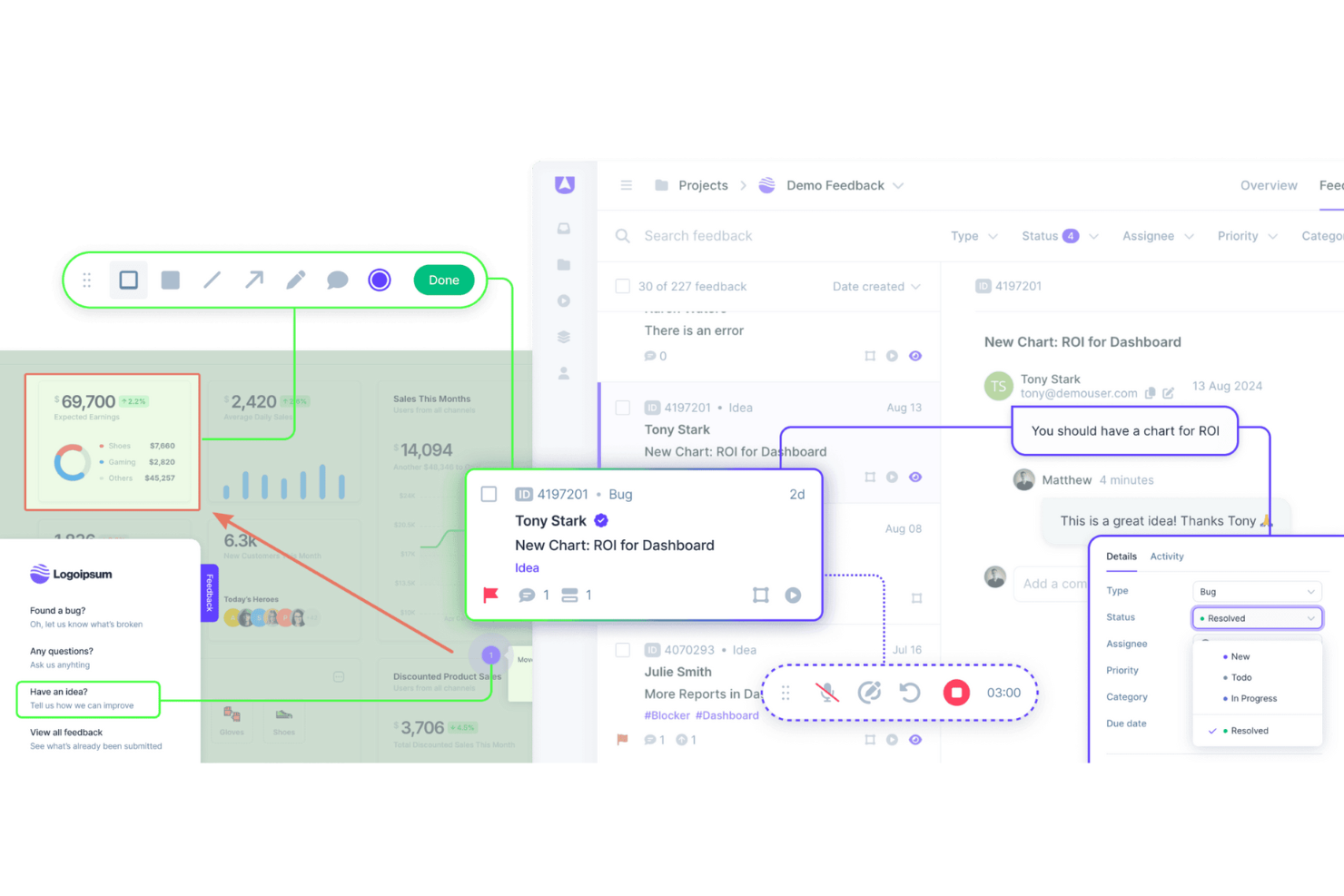
Userback is a customer data platform built around in-product feedback collection, letting users annotate screenshots, record their screen, and submit bug reports directly from your app or website. It's worth considering if your team needs structured, visual feedback that's easy to triage and act on. I'd look at it specifically if you want more actionable user input than Hotjar gives you, without adding a full-scale analytics suite to your stack.
Userback Evaluation Summary
- From $29/month (billed annually)
- Free plan available
Waarom u onze softwareaanbevelingen kunt vertrouwen
Ons team test en beoordeelt software sinds 2012. Als CX-leiders weten we zelf hoe moeilijk — en belangrijk — het is om de juiste software te kiezen.
Voor deze gids hebben we tools geëvalueerd met behulp van praktijktests en onafhankelijk onderzoek, waarbij we tools beoordeelden aan de hand van onze selectiecriteria.
Onze reviews weerspiegelen ons menselijke redactionele oordeel, geen verkooppraatje.
Userback Overview
In my opinion, Userback offers a solid set of customer data features, making it a viable option for teams looking for an efficient way to gather user feedback. Its standout features and ease of use are commendable, although onboarding and customer support could benefit from some enhancements. The platform is well suited for small and medium-sized teams that need user feedback integration functions that don't break the bank. However, it may lack advanced customization and detailed analytics. If your team values simplicity and cost-effectiveness, Userback is worth considering.
pros
-
Gather visual feedback efficiently with Userback's intuitive interface.
-
Real-time collaboration features mean faster issue resolution.
-
Userback's screenshot and annotation tools make it easy to communicate specific feedback.
cons
-
Your team might face a learning curve with its wide range of features.
-
Some users find the customization options limited for niche use cases.
-
Userback has limited customer support channels.
-

SupportYourApp
Visit WebsiteThis rating combines scores from multiple user review sites to reflect overall customer sentiment about the product.4.7 -

Freshdesk
Visit WebsiteThis rating combines scores from multiple user review sites to reflect overall customer sentiment about the product.4.4 -

Hiver
Visit WebsiteThis rating combines scores from multiple user review sites to reflect overall customer sentiment about the product.4.7


How We Test & Score Tools
We’ve spent years building, refining, and improving our software testing and scoring system. The rubric is designed to capture the nuances of software selection and what makes a tool effective, focusing on critical aspects of the decision-making process.
Below, you can see exactly how our testing and scoring works across seven criteria. It allows us to provide an unbiased evaluation of the software based on core functionality, standout features, ease of use, onboarding, customer support, integrations, customer reviews, and value for money.
Core Functionality (25% of final scoring)
The starting point of our evaluation is always the core functionality of the tool. Does it have the basic features and functions that a user would expect to see? Are any of those core features locked to higher-tiered pricing plans? At its core, we expect a tool to stand up against the baseline capabilities of its competitors.
Standout Features (25% of final scoring)
Next, we evaluate uncommon standout features that go above and beyond the core functionality typically found in tools of its kind. A high score reflects specialized or unique features that make the product faster, more efficient, or offer additional value to the user.
We also evaluate how easy it is to integrate with other tools typically found in the tech stack to expand the functionality and utility of the software. Tools offering plentiful native integrations, 3rd party connections, and API access to build custom integrations score best.
Ease of Use (10% of final scoring)
We consider how quick and easy it is to execute the tasks defined in the core functionality using the tool. High scoring software is well designed, intuitive to use, offers mobile apps, provides templates, and makes relatively complex tasks seem simple.
Onboarding (10% of final scoring)
We know how important rapid team adoption is for a new platform, so we evaluate how easy it is to learn and use a tool with minimal training. We evaluate how quickly a team member can get set up and start using the tool with no experience. High scoring solutions indicate little or no support is required.
Customer Support (10% of final scoring)
We review how quick and easy it is to get unstuck and find help by phone, live chat, or knowledge base. Tools and companies that provide real-time support score best, while chatbots score worst.
Customer Reviews (10% of final scoring)
Beyond our own testing and evaluation, we consider the net promoter score from current and past customers. We review their likelihood, given the option, to choose the tool again for the core functionality. A high scoring software reflects a high net promoter score from current or past customers.
Value for Money (10% of final scoring)
Lastly, in consideration of all the other criteria, we review the average price of entry level plans against the core features and consider the value of the other evaluation criteria. Software that delivers more, for less, will score higher.
Core Features
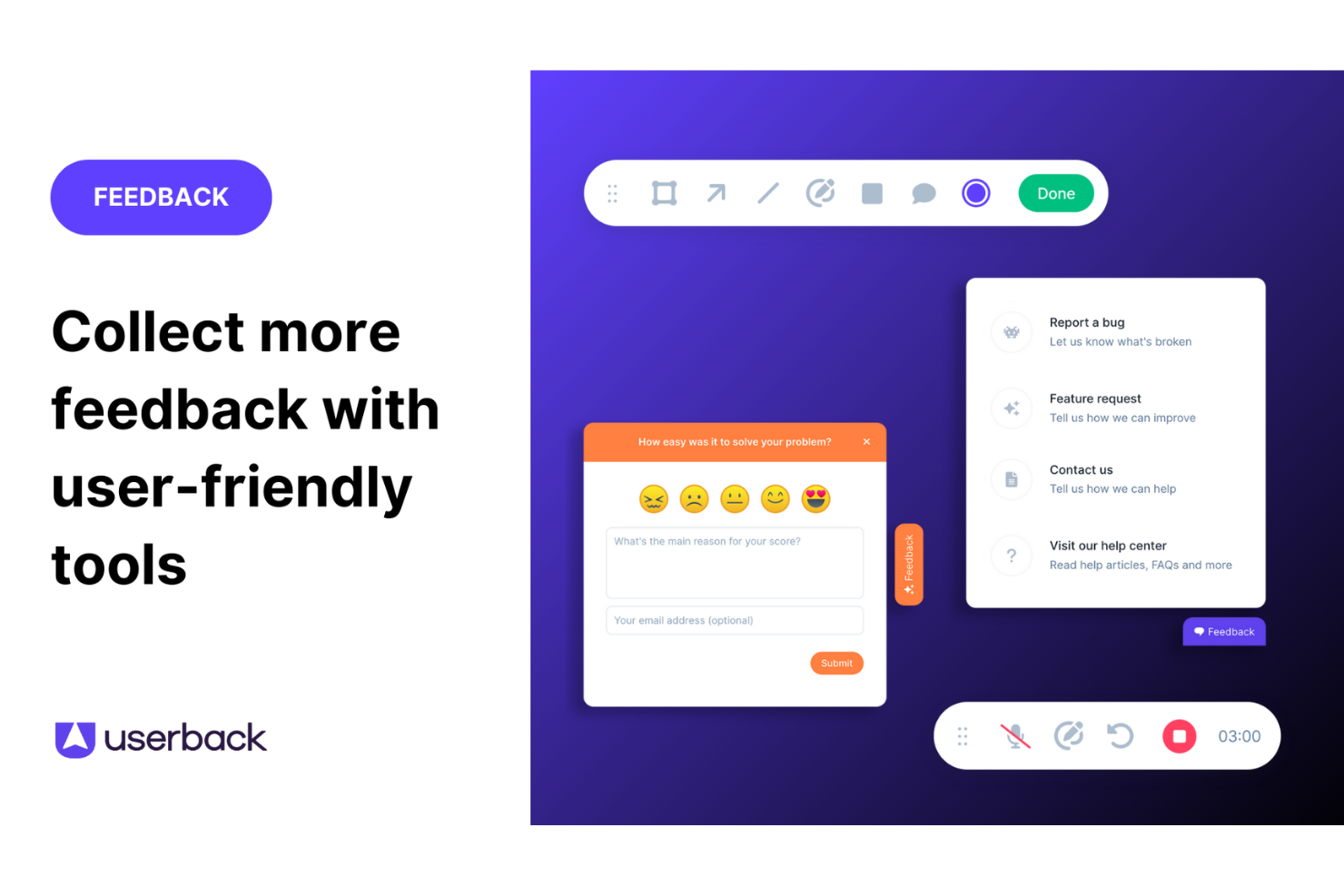
Feedback Widget: You can easily gather user feedback with a customizable button placed directly on your website or app. This in-app tool stands out because it simplifies the feedback process for users, encouraging more participation.
User Surveys: Create and deploy targeted surveys to collect specific insights from your end users. These feedback forms can be embedded in your app or shared externally, allowing you to get detailed information directly from your audience.
Feature Portal: Engage your users by allowing them to view, vote for, and comment on new features. This helps you make data-driven decisions based on real user input.
Browser Extension: This no-code feature lets you collect feedback from any web page quickly and efficiently. It's perfect for gathering insights without needing technical setup.
Visual Feedback Collection: Utilize screen annotation and video feedback to gain clear insights into user experiences. These tools help you understand exactly what users see and experience.
Session Replay: Record and review user sessions to analyze how they interact with your product. This feature gives you valuable insights to improve user experience.
Ease of Use
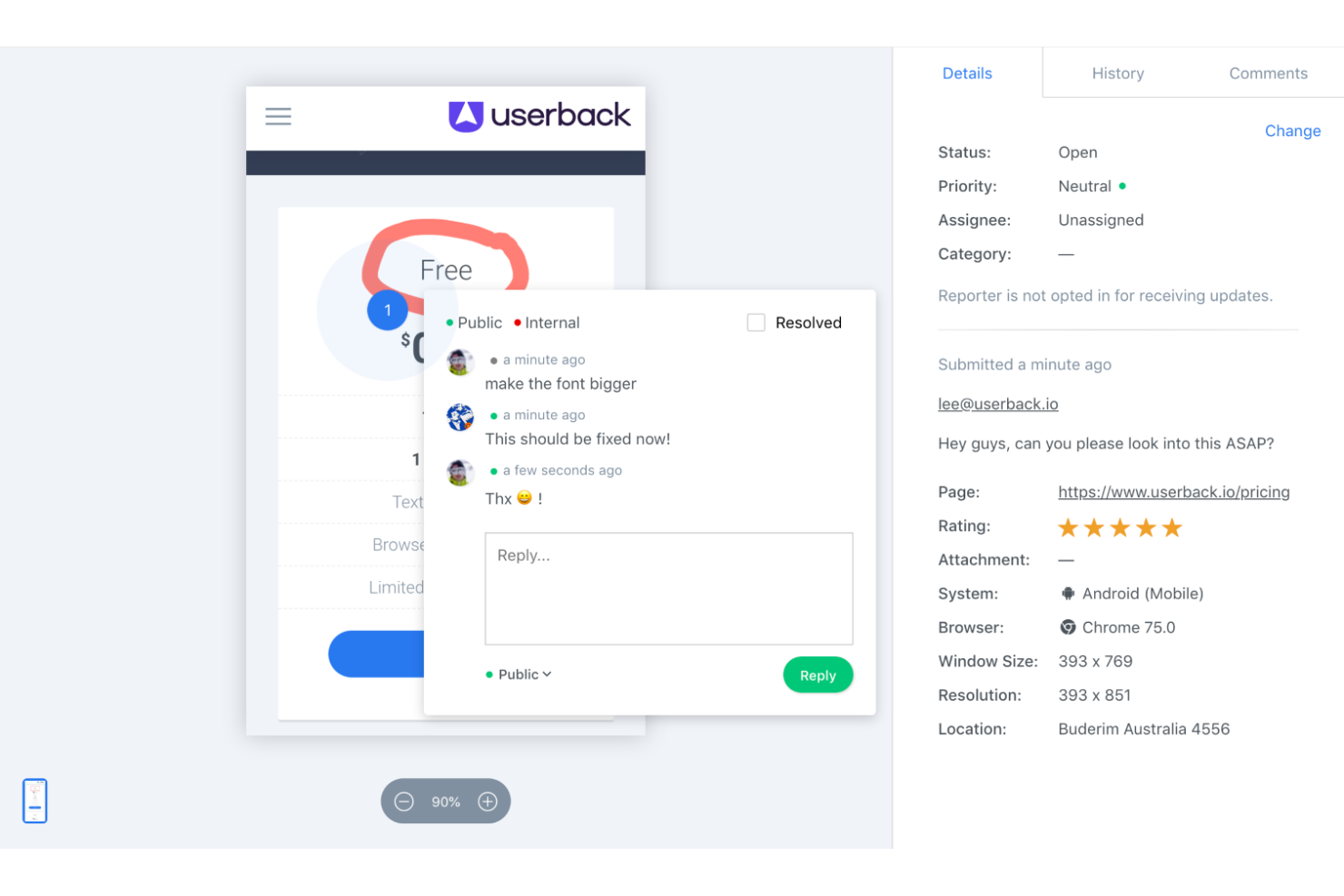
Userback is straightforward to use thanks to its intuitive interface and clear navigation. Setting up feedback collection is quick, which lets your team focus on responding to insights rather than struggling with complex tools. Reviews highlight that Userback's simplicity doesn't compromise its capabilities, making it accessible even for those unfamiliar with CDPs. Its ease of use ensures your workflow is efficient, allowing more time for decision-making based on valuable customer feedback.
Integrations
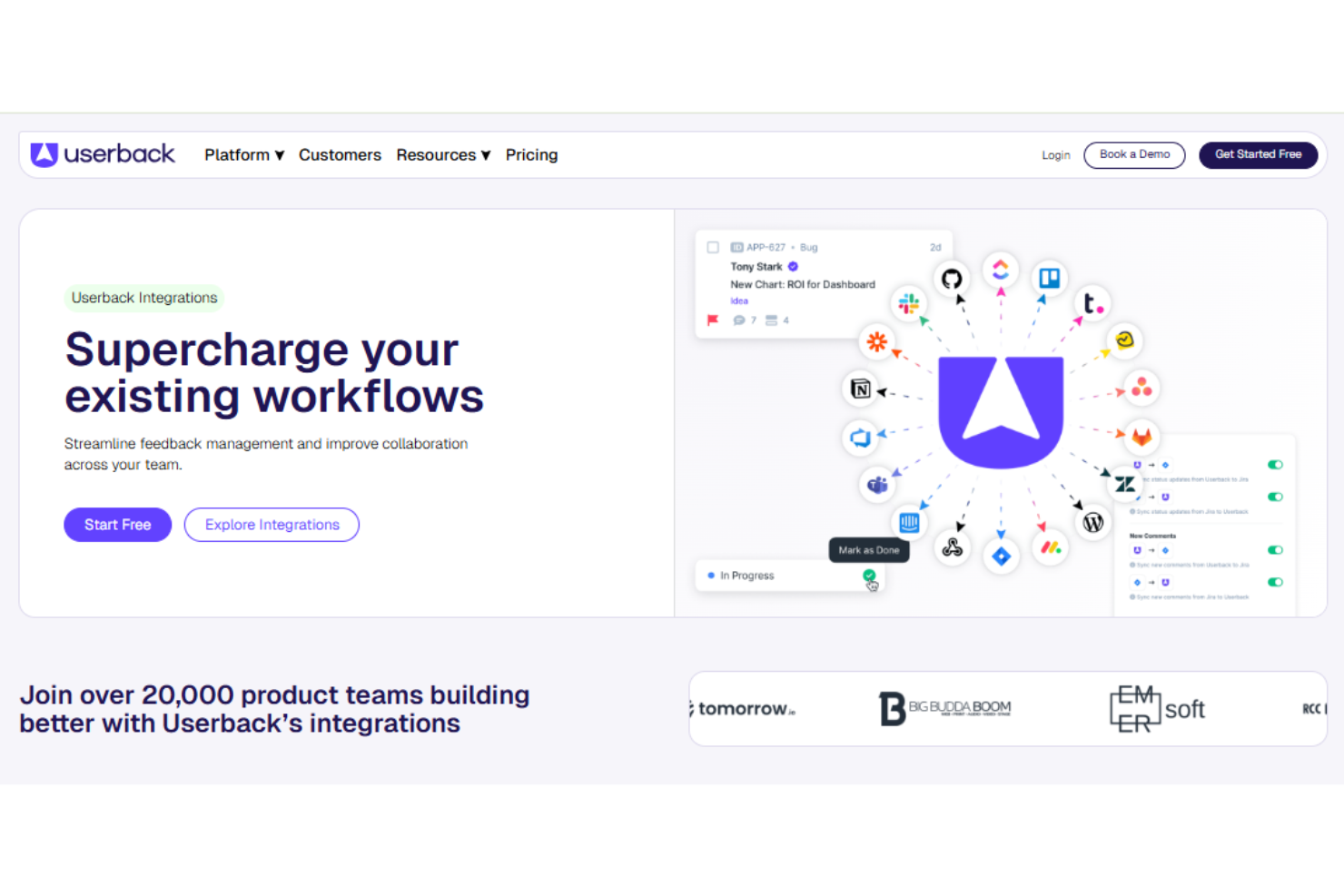
Userback integrates with Jira, Slack, ClickUp, Intercom, Asana, Notion, Trello, Basecamp, monday.com, and Teamwork.
Userback also provides a representational state transfer application programming interface, or REST API, and supports third-party integration tools such as Zapier, strengthening its functionality for user feedback management.
New Product Updates from Userback

Userback Adds Sites, Tasks, and Centralized Feedback Channels
Userback introduces Sites to group Feedback, Ideas Portal, Surveys, and Replays, along with dedicated feedback views and a new Tasks type. It also updates member access, survey workflows, navigation, and feedback channel management. Highlights include:
- Sites: Bring Feedback, Ideas Portal, Surveys, and Replays together for each tracked site.
- Tasks: Add a dedicated feedback type for non-bug work such as text and design updates.
- Dedicated Feedback Views: Separate Bugs, Tasks, Ideas, and General into their own views.
- Feedback Channels: Manage feedback collection methods from one dedicated page.
- Survey Updates: Keep surveys within Sites, remove them from Site limits, and send CSAT surveys when feedback is resolved.
- Site-Based Access: Assign member access by Site, then choose which Feedback and Surveys they can access.
Visit Userback’s official site for more details.
 for more details.
Userback Mobile SDK Adds In-App Surveys
Userback’s Mobile SDK now includes in-app surveys, making it easier to capture customer feedback at the moment of use. Teams can collect key satisfaction signals like NPS and CSAT directly within iOS and Android apps. Highlights include:
- In-App Surveys: Lets iOS and Android users complete NPS, CSAT, and other surveys without leaving the app.
- Flexible Triggers: Allows teams to choose when and where surveys appear within the mobile experience.
- Shared Configuration: Uses the same survey setup already configured in Userback without extra mobile-specific setup.
- Contextual Responses: Includes user and in-app context with each survey response for easier analysis.
Visit Userback’s official site for more details.

Userback Adds Slack Feedback Capture
Userback introduces Slack feedback capture, allowing users to convert Slack messages into feedback items without leaving the conversation. This improves efficiency by preserving context and reducing manual steps in the feedback collection process. Highlights include:
- One-Click Feedback Capture: Converts Slack messages into feedback items directly from chats.
- Source-Linked Feedback: Links feedback to the original Slack message and user for full context.
- Team-Wide Accessibility: Enables feedback capture across channels and direct messages.
Visit Userback’s official site for more details.

Userback Launches Mobile SDK for In-App Feedback
Userback introduces a Mobile SDK for iOS and Android that enables in-app feedback submission, automatic context capture, and integration with existing workflows. These updates improve feedback collection by centralizing mobile and web inputs while giving developers the context needed to resolve issues faster. Highlights include:
- In-App Feedback Submission: Allows users to submit feedback directly within mobile apps without leaving the interface.
- Automatic Context Capture: Collects screenshots, console logs, and network data to support faster issue resolution.
- Unified Feedback Management: Combines mobile and web feedback into a single workflow for easier tracking and analysis.
- User-Level Insights: Links feedback to user profiles for better segmentation and prioritization.
- In-App Portal and Roadmap Access: Lets users submit ideas, vote on features, and view updates without switching platforms.
Visit Userback’s official site for more details.
Userback Specs
- Analytics
- API
- Calendar Management
- Call Tracking
- Contact Management
- Dashboard
- Data Export
- Data Import
- Data Visualization
- Email Integration
- External Integrations
- Google Apps Integration
- Multi-User
- Net Promoter Score
- Notifications
- Review Monitoring
- Scheduling
- Softphone
- Third-Party Plugins/Add-Ons