

Recensione di Userback: pro, contro, funzionalità e prezzi


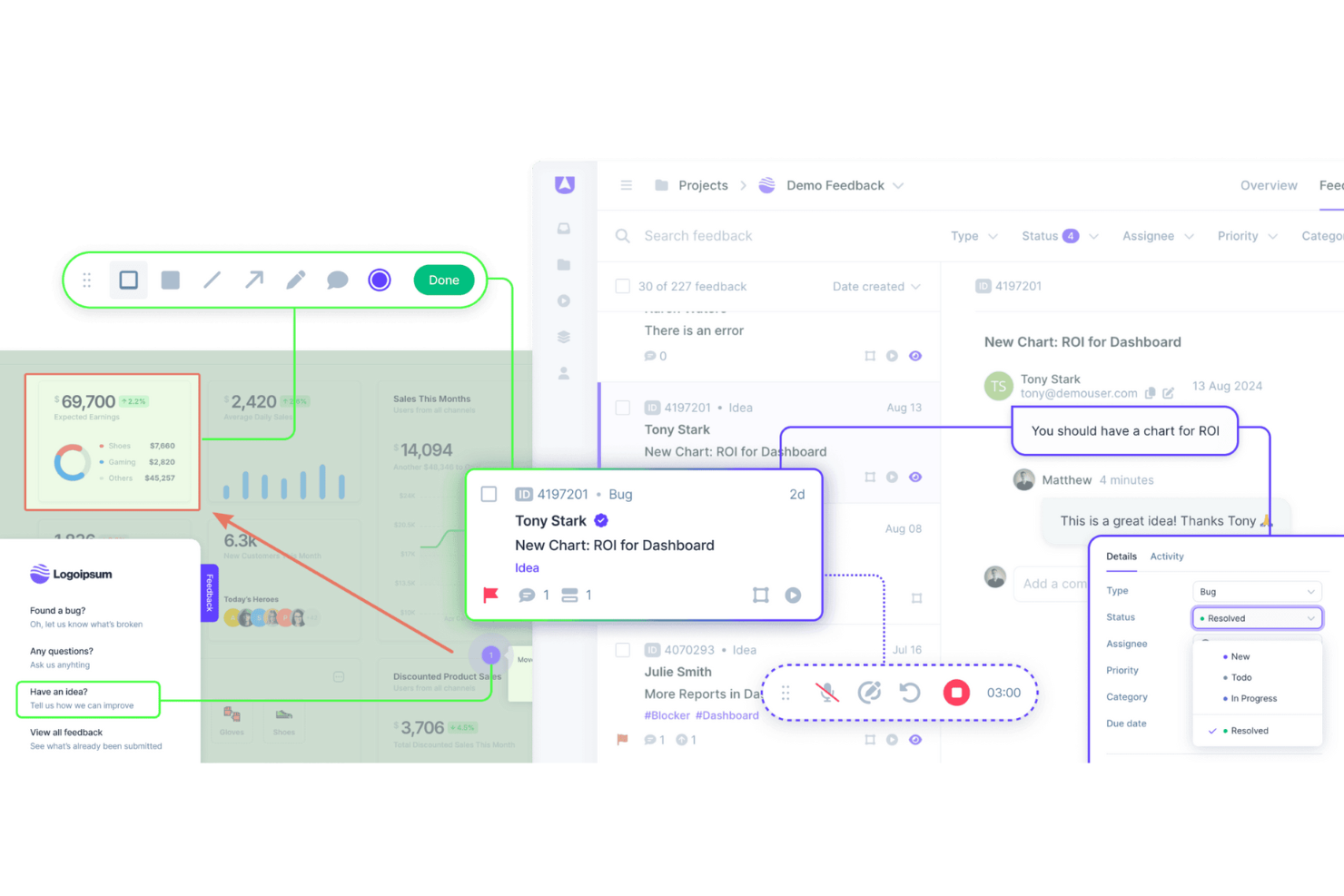
Userback is a customer data platform built around in-product feedback collection, letting users annotate screenshots, record their screen, and submit bug reports directly from your app or website. It's worth considering if your team needs structured, visual feedback that's easy to triage and act on. I'd look at it specifically if you want more actionable user input than Hotjar gives you, without adding a full-scale analytics suite to your stack.
Userback Evaluation Summary
- From $29/month (billed annually)
- Free plan available
Perché fidarsi dei nostri consigli sui software
Il nostro team testa e recensisce software dal 2012. In quanto leader CX noi stessi, sappiamo quanto sia difficile — e importante — scegliere il software giusto.
Per questa guida, abbiamo valutato gli strumenti attraverso test pratici e ricerche indipendenti, assegnando un punteggio agli strumenti in base ai nostri criteri di selezione.
Le nostre recensioni riflettono il nostro giudizio editoriale umano, non un discorso di vendita.
Userback Overview
In my opinion, Userback offers a solid set of customer data features, making it a viable option for teams looking for an efficient way to gather user feedback. Its standout features and ease of use are commendable, although onboarding and customer support could benefit from some enhancements. The platform is well suited for small and medium-sized teams that need user feedback integration functions that don't break the bank. However, it may lack advanced customization and detailed analytics. If your team values simplicity and cost-effectiveness, Userback is worth considering.
pros
-
Gather visual feedback efficiently with Userback's intuitive interface.
-
Real-time collaboration features mean faster issue resolution.
-
Userback's screenshot and annotation tools make it easy to communicate specific feedback.
cons
-
Your team might face a learning curve with its wide range of features.
-
Some users find the customization options limited for niche use cases.
-
Userback has limited customer support channels.
-

SupportYourApp
Visit WebsiteThis rating combines scores from multiple user review sites to reflect overall customer sentiment about the product.4.7 -

Freshdesk
Visit WebsiteThis rating combines scores from multiple user review sites to reflect overall customer sentiment about the product.4.4 -

Hiver
Visit WebsiteThis rating combines scores from multiple user review sites to reflect overall customer sentiment about the product.4.7


Come Testiamo e Valutiamo gli Strumenti
Abbiamo passato anni a costruire, perfezionare e migliorare il nostro sistema di valutazione e testing dei software. Il nostro schema è progettato per cogliere tutte le sfumature nella selezione del software e per valutare ciò che rende uno strumento efficace, concentrandosi sugli aspetti critici nel processo decisionale. Qui sotto puoi vedere esattamente come funziona il nostro processo di testing e valutazione su sette criteri. Ci permette di offrire una valutazione imparziale del software basata su funzionalità principali, caratteristiche distintive, facilità d’uso, onboarding, supporto clienti, integrazioni, recensioni clienti e rapporto qualità/prezzo.
Funzionalità Principali (25% del punteggio finale)
Il punto di partenza della nostra valutazione sono sempre le funzionalità fondamentali dello strumento. Possiede le funzioni di base che un utente si aspetta? Alcune di queste funzionalità sono disponibili solo con piani più costosi? In sostanza, ci aspettiamo che uno strumento sia competitivo rispetto ai suoi concorrenti principali.
Caratteristiche Distintive (25% del punteggio finale)
Successivamente, valutiamo le funzionalità particolari e distintive che vanno oltre le funzionalità standard solitamente presenti in strumenti simili. Un punteggio elevato riflette funzionalità specializzate o uniche che rendono il prodotto più veloce, efficiente o che offrono valore aggiunto all’utente. Valutiamo anche quanto sia facile integrare lo strumento con altri strumenti tipicamente presenti nel tech stack, per ampliare le funzionalità e l’utilità del software. Ottengono il punteggio migliore gli strumenti che offrono numerose integrazioni native, connessioni di terze parti e accesso API per creare integrazioni personalizzate.
Facilità d’Uso (10% del punteggio finale)
Consideriamo quanto sia rapido e intuitivo eseguire le attività core usando lo strumento. Un software con un alto punteggio è ben progettato, intuitivo all’uso, offre app mobili, mette a disposizione modelli e semplifica attività relativamente complesse.
Onboarding (10% del punteggio finale)
Sappiamo quanto sia importante l’adozione rapida da parte del team per una nuova piattaforma, quindi valutiamo la facilità di apprendimento e utilizzo dello strumento con una formazione minima. Valutiamo quanto velocemente un membro del team può iniziare a usare lo strumento senza esperienza. Le soluzioni con punteggio elevato richiedono poco o nessun supporto.
Supporto Clienti (10% del punteggio finale)
Valutiamo quanto sia semplice ricevere assistenza via telefono, chat dal vivo o knowledge base. Gli strumenti e le aziende che offrono supporto in tempo reale ottengono il punteggio migliore, mentre i chatbot hanno il punteggio più basso.
Recensioni Clienti (10% del punteggio finale)
Oltre alla nostra valutazione interna, prendiamo in considerazione il net promoter score dei clienti attuali e passati. Analizziamo la probabilità che, potendo scegliere, selezionino di nuovo lo strumento per le sue funzionalità core. Un software con punteggio elevato riflette un alto net promoter score dai clienti attuali o passati.
Rapporto Qualità/Prezzo (10% del punteggio finale)
Infine, tenendo conto di tutti gli altri criteri, analizziamo il prezzo medio dei piani entry level rispetto alle funzionalità principali e consideriamo il valore delle altre metriche di valutazione. Il software che offre di più, a meno, otterrà un punteggio maggiore.
Core Features
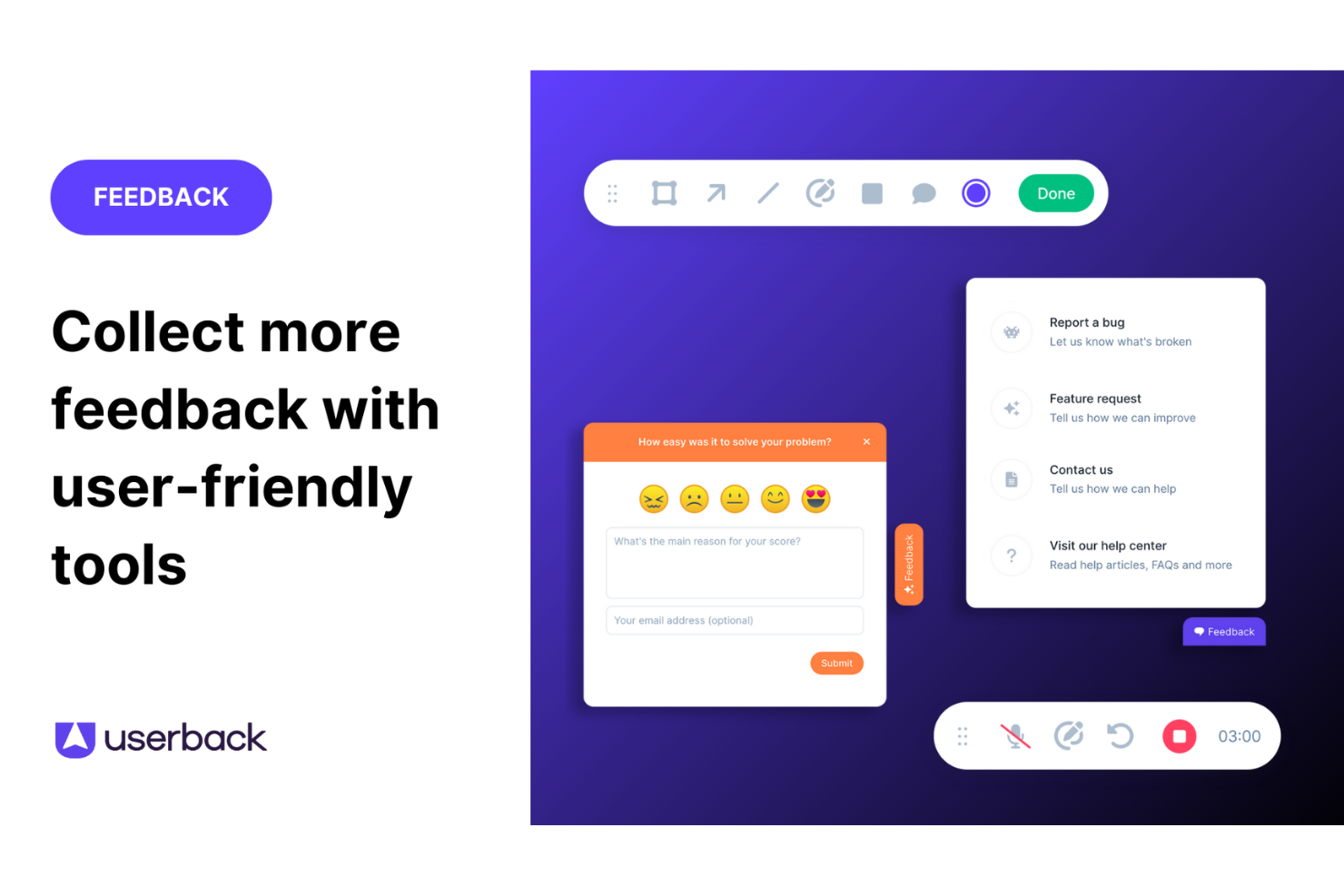
Feedback Widget: You can easily gather user feedback with a customizable button placed directly on your website or app. This in-app tool stands out because it simplifies the feedback process for users, encouraging more participation.
User Surveys: Create and deploy targeted surveys to collect specific insights from your end users. These feedback forms can be embedded in your app or shared externally, allowing you to get detailed information directly from your audience.
Feature Portal: Engage your users by allowing them to view, vote for, and comment on new features. This helps you make data-driven decisions based on real user input.
Browser Extension: This no-code feature lets you collect feedback from any web page quickly and efficiently. It's perfect for gathering insights without needing technical setup.
Visual Feedback Collection: Utilize screen annotation and video feedback to gain clear insights into user experiences. These tools help you understand exactly what users see and experience.
Session Replay: Record and review user sessions to analyze how they interact with your product. This feature gives you valuable insights to improve user experience.
Ease of Use
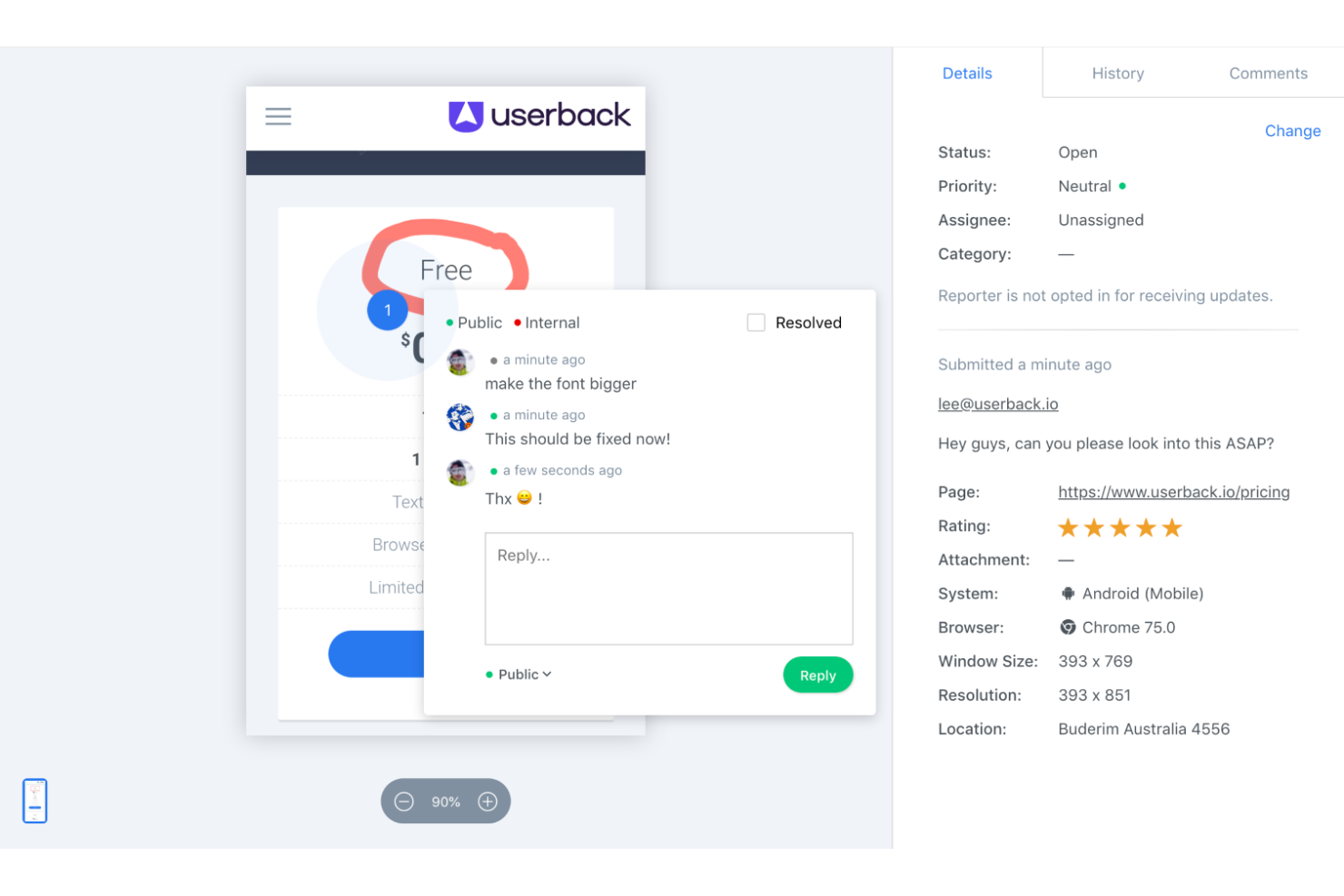
Userback is straightforward to use thanks to its intuitive interface and clear navigation. Setting up feedback collection is quick, which lets your team focus on responding to insights rather than struggling with complex tools. Reviews highlight that Userback's simplicity doesn't compromise its capabilities, making it accessible even for those unfamiliar with CDPs. Its ease of use ensures your workflow is efficient, allowing more time for decision-making based on valuable customer feedback.
Integrations
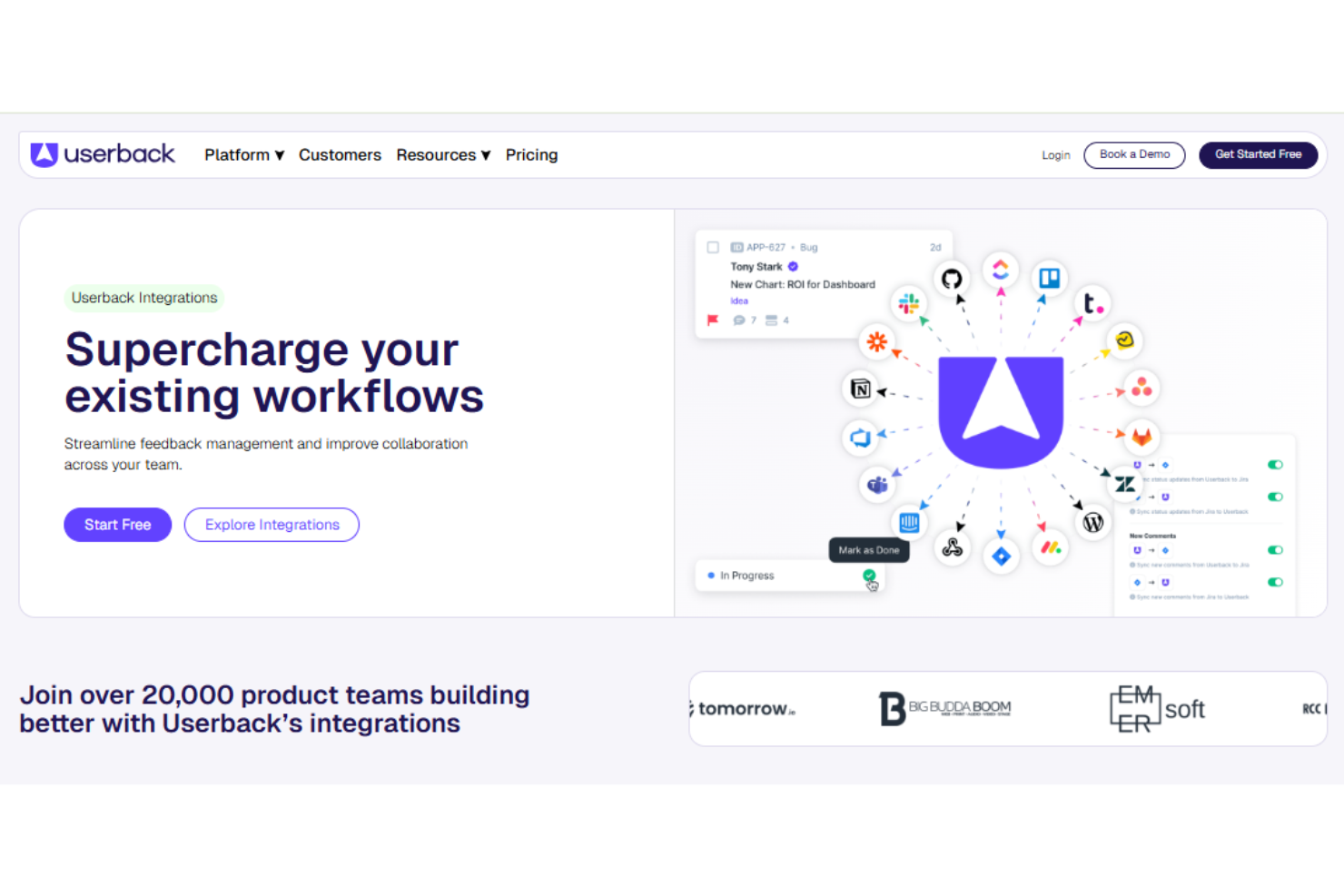
Userback integrates with Jira, Slack, ClickUp, Intercom, Asana, Notion, Trello, Basecamp, monday.com, and Teamwork.
Userback also provides a representational state transfer application programming interface, or REST API, and supports third-party integration tools such as Zapier, strengthening its functionality for user feedback management.
New Product Updates from Userback

Userback Adds Sites, Tasks, and Centralized Feedback Channels
Userback introduces Sites to group Feedback, Ideas Portal, Surveys, and Replays, along with dedicated feedback views and a new Tasks type. It also updates member access, survey workflows, navigation, and feedback channel management. Highlights include:
- Sites: Bring Feedback, Ideas Portal, Surveys, and Replays together for each tracked site.
- Tasks: Add a dedicated feedback type for non-bug work such as text and design updates.
- Dedicated Feedback Views: Separate Bugs, Tasks, Ideas, and General into their own views.
- Feedback Channels: Manage feedback collection methods from one dedicated page.
- Survey Updates: Keep surveys within Sites, remove them from Site limits, and send CSAT surveys when feedback is resolved.
- Site-Based Access: Assign member access by Site, then choose which Feedback and Surveys they can access.
Visit Userback’s official site for more details.
 for more details.
Userback Mobile SDK Adds In-App Surveys
Userback’s Mobile SDK now includes in-app surveys, making it easier to capture customer feedback at the moment of use. Teams can collect key satisfaction signals like NPS and CSAT directly within iOS and Android apps. Highlights include:
- In-App Surveys: Lets iOS and Android users complete NPS, CSAT, and other surveys without leaving the app.
- Flexible Triggers: Allows teams to choose when and where surveys appear within the mobile experience.
- Shared Configuration: Uses the same survey setup already configured in Userback without extra mobile-specific setup.
- Contextual Responses: Includes user and in-app context with each survey response for easier analysis.
Visit Userback’s official site for more details.

Userback Adds Slack Feedback Capture
Userback introduces Slack feedback capture, allowing users to convert Slack messages into feedback items without leaving the conversation. This improves efficiency by preserving context and reducing manual steps in the feedback collection process. Highlights include:
- One-Click Feedback Capture: Converts Slack messages into feedback items directly from chats.
- Source-Linked Feedback: Links feedback to the original Slack message and user for full context.
- Team-Wide Accessibility: Enables feedback capture across channels and direct messages.
Visit Userback’s official site for more details.

Userback Launches Mobile SDK for In-App Feedback
Userback introduces a Mobile SDK for iOS and Android that enables in-app feedback submission, automatic context capture, and integration with existing workflows. These updates improve feedback collection by centralizing mobile and web inputs while giving developers the context needed to resolve issues faster. Highlights include:
- In-App Feedback Submission: Allows users to submit feedback directly within mobile apps without leaving the interface.
- Automatic Context Capture: Collects screenshots, console logs, and network data to support faster issue resolution.
- Unified Feedback Management: Combines mobile and web feedback into a single workflow for easier tracking and analysis.
- User-Level Insights: Links feedback to user profiles for better segmentation and prioritization.
- In-App Portal and Roadmap Access: Lets users submit ideas, vote on features, and view updates without switching platforms.
Visit Userback’s official site for more details.
Userback Specs
- Analytics
- API
- Calendar Management
- Call Tracking
- Contact Management
- Dashboard
- Data Export
- Data Import
- Data Visualization
- Email Integration
- External Integrations
- Google Apps Integration
- Multi-User
- Net Promoter Score
- Notifications
- Review Monitoring
- Scheduling
- Softphone
- Third-Party Plugins/Add-Ons