

10 Best Digital Experience Platforms Reviewed For 2026

10 Best Digital Experience Platforms Shortlist


Digital experience platforms (DXP) help teams deliver consistent, personalized experiences across all customer touchpoints. If you’re struggling to manage fragmented tools, inconsistent messaging, or limited visibility into customer behavior, you’re not alone. As customer expectations rise, so does the pressure to deliver tailored experiences at scale.
The right digital experience platform can help you streamline operations, boost engagement, and adapt in real time—without rebuilding your tech stack from scratch. In this guide, I’ve reviewed the top tools that enable you to unify content, data, and channels. Whether you're evaluating modular, composable DXPs or traditional solutions, these practical insights will help you choose the right platform so your team can orchestrate seamless journeys from first impression to retention.
Why Trust Our Software Recommendations
Our team has been testing and reviewing software since 2012. As CX leaders ourselves, we know how difficult—and important—it is to choose the right software.
For this guide, we evaluated tools using hands-on testing and independent research, scoring tools using our selection criteria.
Our reviews reflect our human editorial judgment, not a sales pitch.
The Best Digital Experience Platforms Summary Table
A side-by-side comparison of each tool that made my top 20 list.
| Tool | Best For | Trial Info | Price | ||
|---|---|---|---|---|---|
| 1 | Best for interactive product tours | 14-day free trial | From $174/month (billed annually) | Website | |
| 2 | Best for automating responses | Free plan available | From $25/user/month (billed annually) | Website | |
| 3 | Best for modern CMS tooling with SDKs and migration | Free plan available | Pricing upon request | Website | |
| 4 | Best for unified PIM, DAM, and CMS delivery | Free demo available | Pricing upon request | Website | |
| 5 | Best for B2B multi-site portals at enterprise scale | Free plan available | Pricing upon request | Website | |
| 6 | Best with agentic AI for content governance | Free demo available | Pricing upon request | Website | |
| 7 | Best for built-in monitoring and performance tools | Free demo available | Pricing upon request | Website | |
| 8 | Best for experimentation-led personalization at scale | Free demo available | Pricing upon request | Website | |
| 9 | Best for AI-powered insights | Free demo available | Pricing upon request | Website | |
| 10 | Best for multi-site portals with SSO and DAM | Free demo + expert consultation available | Pricing upon request | Website |
Best Digital Experience Platform Reviews
Here’s a brief description of each digital experience platform (DXP) enterprise tool that are featured on this list:

Best for interactive product tours
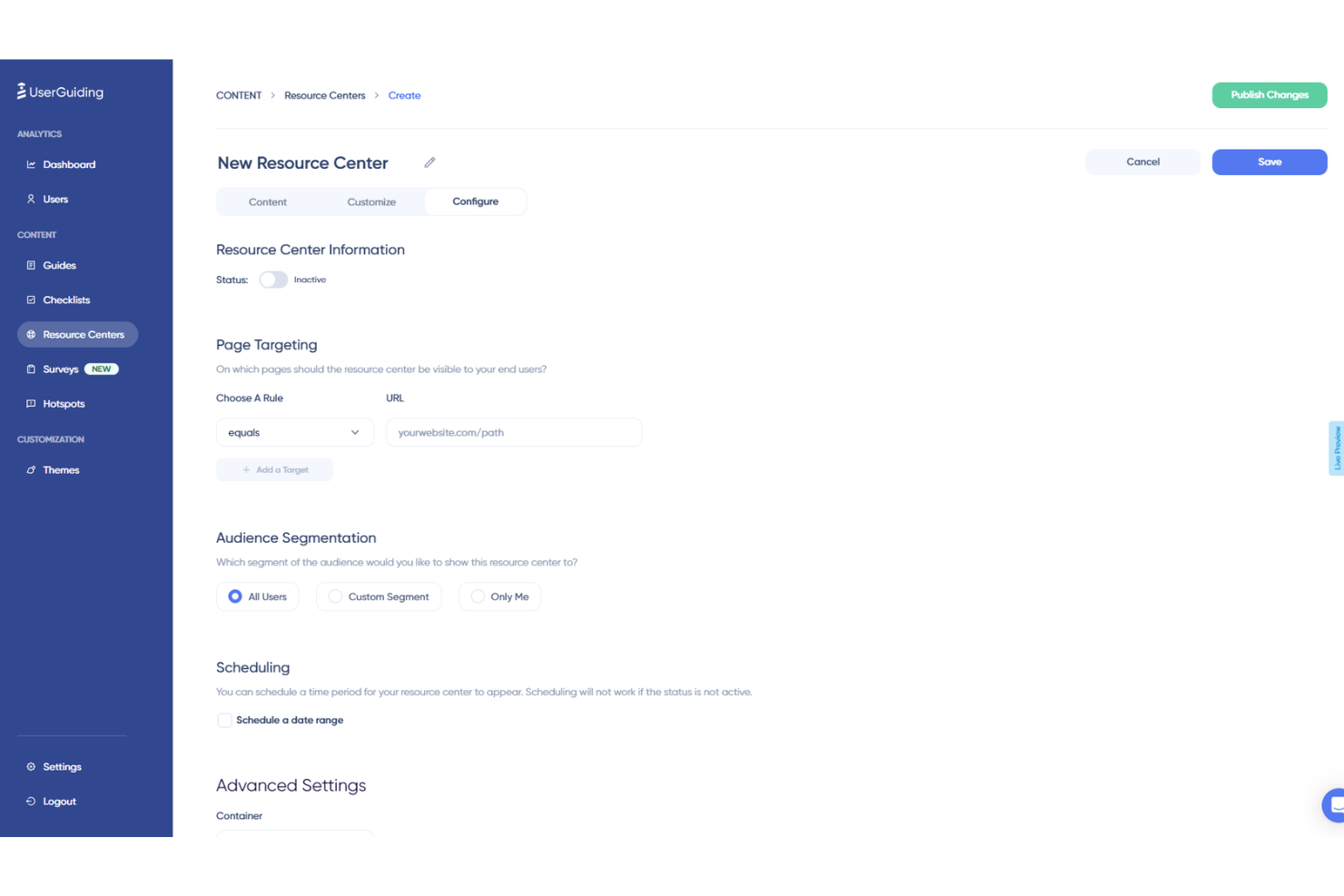
UserGuiding is a product adoption software that helps you enhance digital experiences with its range of features. Whether you're looking to offer interactive product tours or collect user feedback, UserGuiding has tools designed to make your software more engaging and user-friendly.
Why I Picked UserGuiding: One of the reasons I picked UserGuiding as a great digital experience platform is its ability to create interactive product tours. These tours guide your users through the necessary steps in your software, making it easier for them to understand and use your product. This can lead to higher user satisfaction and increased adoption rates. Additionally, UserGuiding offers onboarding checklists to ensure users don't miss any critical steps when they first start using your product. This feature helps in reducing the learning curve for new users and ensures a smoother onboarding process.
Another standout feature is the in-app surveys, which allow you to collect valuable user feedback without them having to leave your software. This makes it easier for you to gather insights and make data-driven decisions to improve your product. UserGuiding also provides analytics, so you can track user engagement and identify areas for improvement. This data can be crucial in tailoring your digital experiences to better meet the needs of your users.
Standout Features & Integrations:
Features include hotspots, which provide additional UI information to guide users, and tooltips for user education that can be placed anywhere in your application. Another valuable feature is the AI assistant that offers 24/7 support, helping users whenever they encounter issues. These features work together to create a more engaging and supportive user experience.
Integrations include Amplitude, Webhook, Salesforce, Intercom, Mixpanel, Segment, Slack, Google Analytics, Google Tag Manager, Woopra, and HubSpot.
Pros and Cons
Pros:
- Intuitive interface that simplifies the process of creating user guides and onboarding experiences
- User segmentation capabilities allow for personalized user experiences
- Easy creation of interactive walkthroughs without coding
Cons:
- Basic checklist functionality
- Limited advanced editing features

Best for automating responses
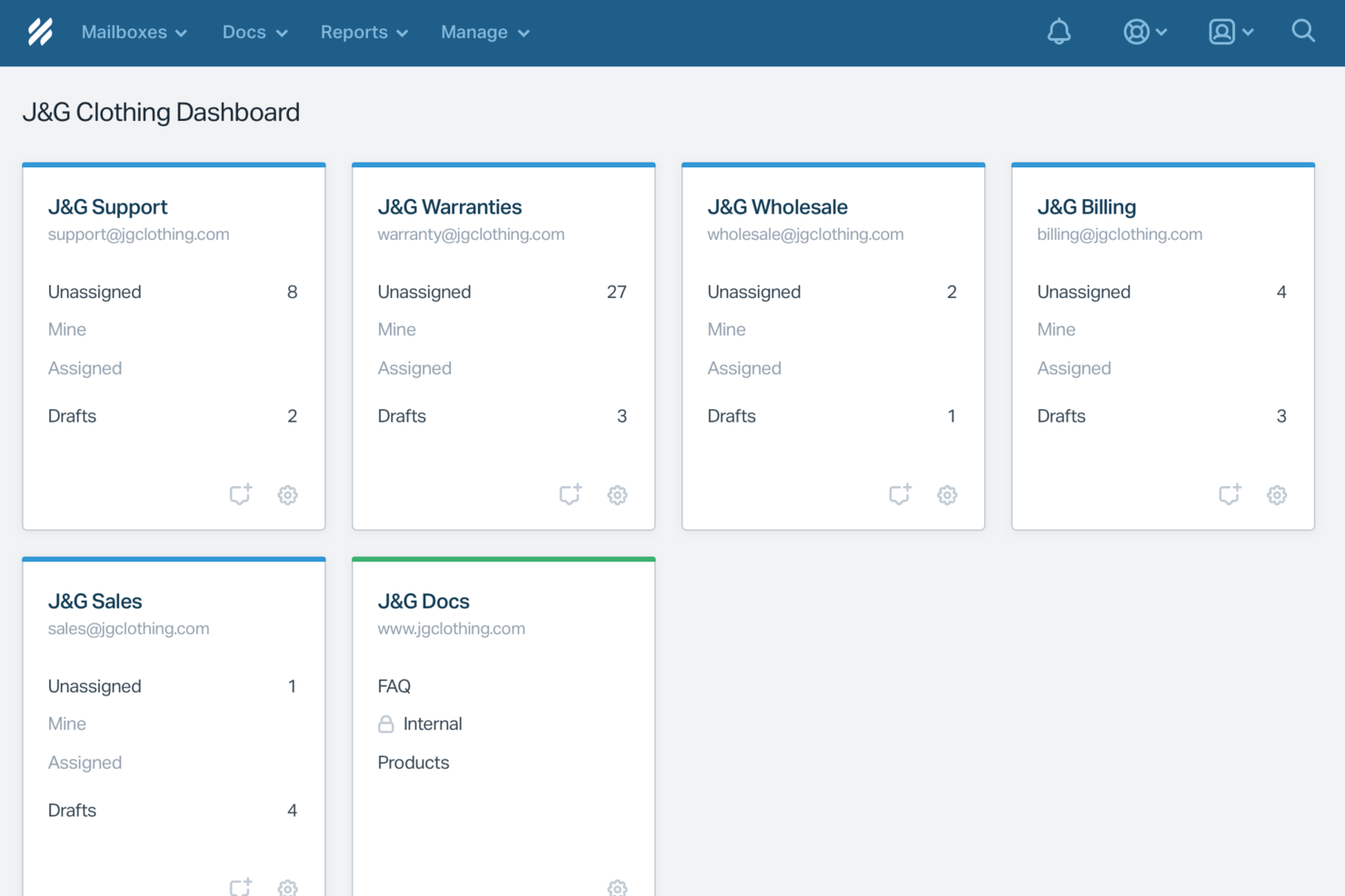
For businesses seeking a digital experience platform that emphasizes customer interaction and support, Help Scout offers a compelling solution. Designed with customer-centric teams in mind, it provides tools that facilitate seamless communication, whether you're managing a small business or a larger enterprise. Help Scout addresses challenges in customer service by offering features that enhance team collaboration, automate routine tasks, and provide insightful analytics to improve customer interactions.
Why I Picked Help Scout
I picked Help Scout for its unique approach to integrating AI into customer support, which is a critical aspect of a digital experience platform. The AI Answers feature automates responses to frequent inquiries, allowing your team to focus on complex issues. Additionally, the Inbox Assistant aids in crafting precise responses in real-time, ensuring your communication remains efficient and effective. These tools not only enhance the speed of service but also elevate the quality of customer interactions by leveraging AI's adaptability and learning capabilities.
Help Scout Key Features
In addition to AI-driven solutions, I also found several other features that make Help Scout stand out:
- Shared Inbox: Consolidates all customer communications in one place, allowing your team to collaborate efficiently.
- Beacon: An embeddable widget offering live chat, knowledge base access, and contact forms directly on your website or app.
- Docs: A built-in knowledge base that empowers customers to find answers independently, reducing the burden on your support team.
- Workflow Automation: Automates repetitive tasks and processes, freeing up your team to focus on more strategic initiatives.
Help Scout Integrations
Integrations include HubSpot, Salesforce, Jira, Slack, Shopify, Zapier, Mailchimp, WooCommerce, Magento, and Pipedrive, and an API is available for custom integrations.
Pros and Cons
Pros:
- Built-in knowledge base powers accurate automated replies
- Smooth handoff preserves conversation context for agents
- AI Answers resolves common tickets without agent involvement
Cons:
- AI effectiveness depends heavily on knowledge base quality
- Not a standalone chatbot outside Help Scout ecosystem
New Product Updates from Help Scout

Help Scout Adds Automatic Conversation Reassignment
Help Scout can now automatically unassign conversations when the assigned teammate has been away long enough, keeping replies moving so others can pick them up. For more information, visit Help Scout's official site.
 .
.
Best for modern CMS tooling with SDKs and migration
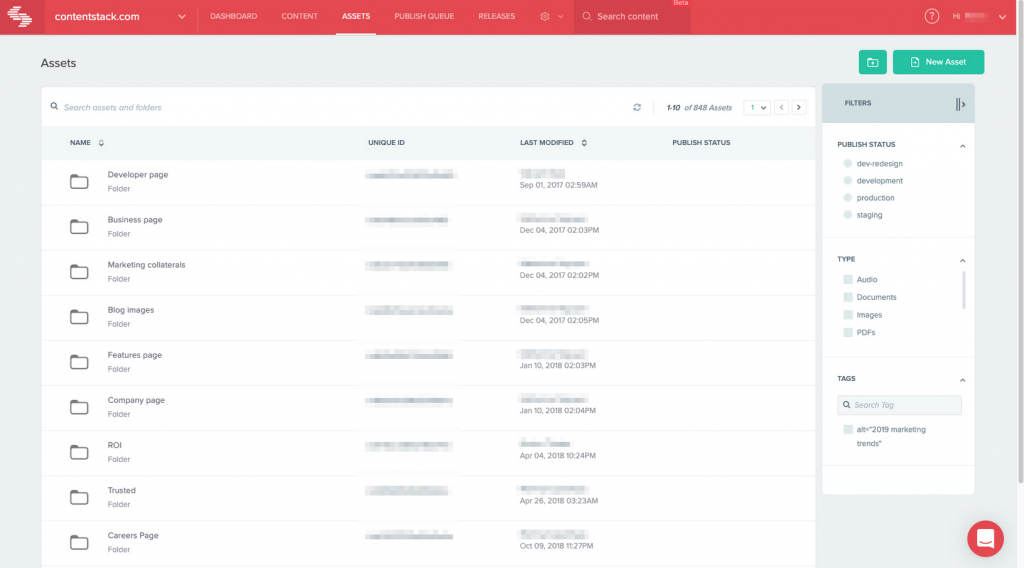
Contentstack is a headless content management system designed for enterprises looking to deliver content across multiple channels. It caters to developers and marketers seeking a flexible platform to create and manage digital experiences.
Why I picked Contentstack: It excels as a headless CMS, allowing you to deliver content anywhere through its API-first approach. You can manage content in a decoupled manner, giving developers the freedom to work with their choice of front-end frameworks. The platform offers collaborative features that allow your team to work together efficiently. Contentstack also provides robust support and documentation, making it easier to implement and scale.
Standout features & integrations:
Features include the ability to create modular content blocks that allow easy content reuse across different pages. You can use built-in workflows to streamline content approval processes. The live preview feature lets you see changes in real time before publishing.
Integrations include Salesforce, Marketo, Google Analytics, Optimizely, Adobe Analytics, Slack, Vercel, Netlify, Zapier, and Shopify.
Pros and Cons
Pros:
- Real-time collaboration tools
- Modular content blocks
- Flexible API-first approach
Cons:
- Initial setup requires technical knowledge
- Limited out-of-the-box templates
- Complex for simple sites

Pimcore
Best for unified PIM, DAM, and CMS delivery
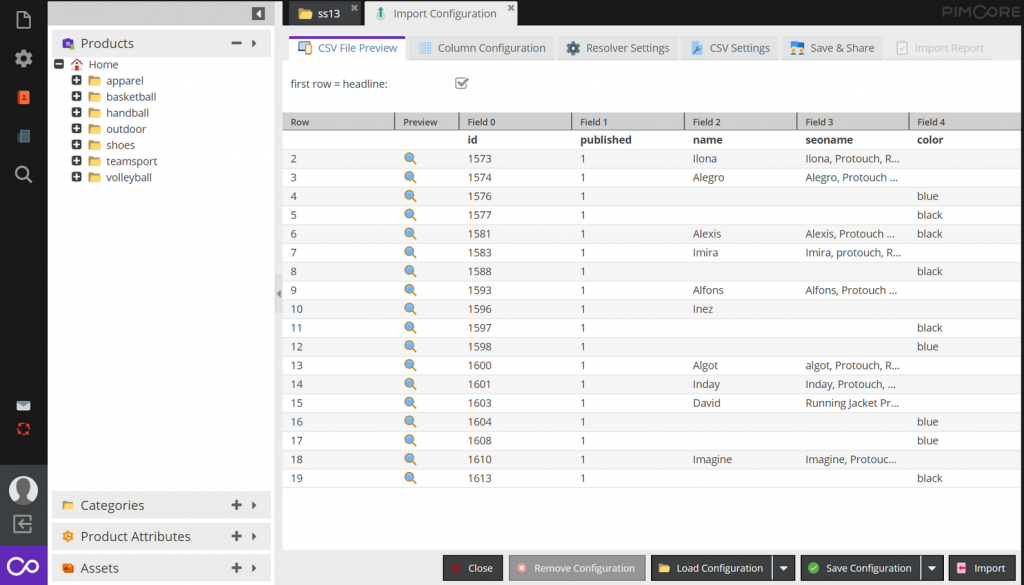
Pimcore is an open-source digital experience platform geared towards businesses needing effective data management. It serves enterprises looking to unify and manage data, content, and customer experience in one place.
Why I picked Pimcore: It excels in data management by providing a versatile platform that combines product information management (PIM) and master data management (MDM). Your team can handle complex data structures with ease using its flexible data models. Pimcore's digital asset management (DAM) ensures that all your media files are organized and accessible. Its API-driven architecture allows you to connect and synchronize data across various systems.
Standout features & integrations:
Features include a user-friendly content management system that lets you create and manage digital content efficiently. You can utilize its built-in e-commerce framework to manage online store functionalities. The platform also offers customer data management tools to personalize customer interactions and improve engagement.
Integrations include Adobe Experience Manager, Salesforce, Magento, Google Analytics, Microsoft Dynamics, SAP, Zendesk, Oracle, HubSpot, and Mailchimp.
Pros and Cons
Pros:
- Comprehensive asset management
- Open-source flexibility
- Versatile data management tools
Cons:
- High resource consumption
- Limited out-of-the-box templates
- Requires technical expertise for setup
LifeRay
Best for B2B multi-site portals at enterprise scale
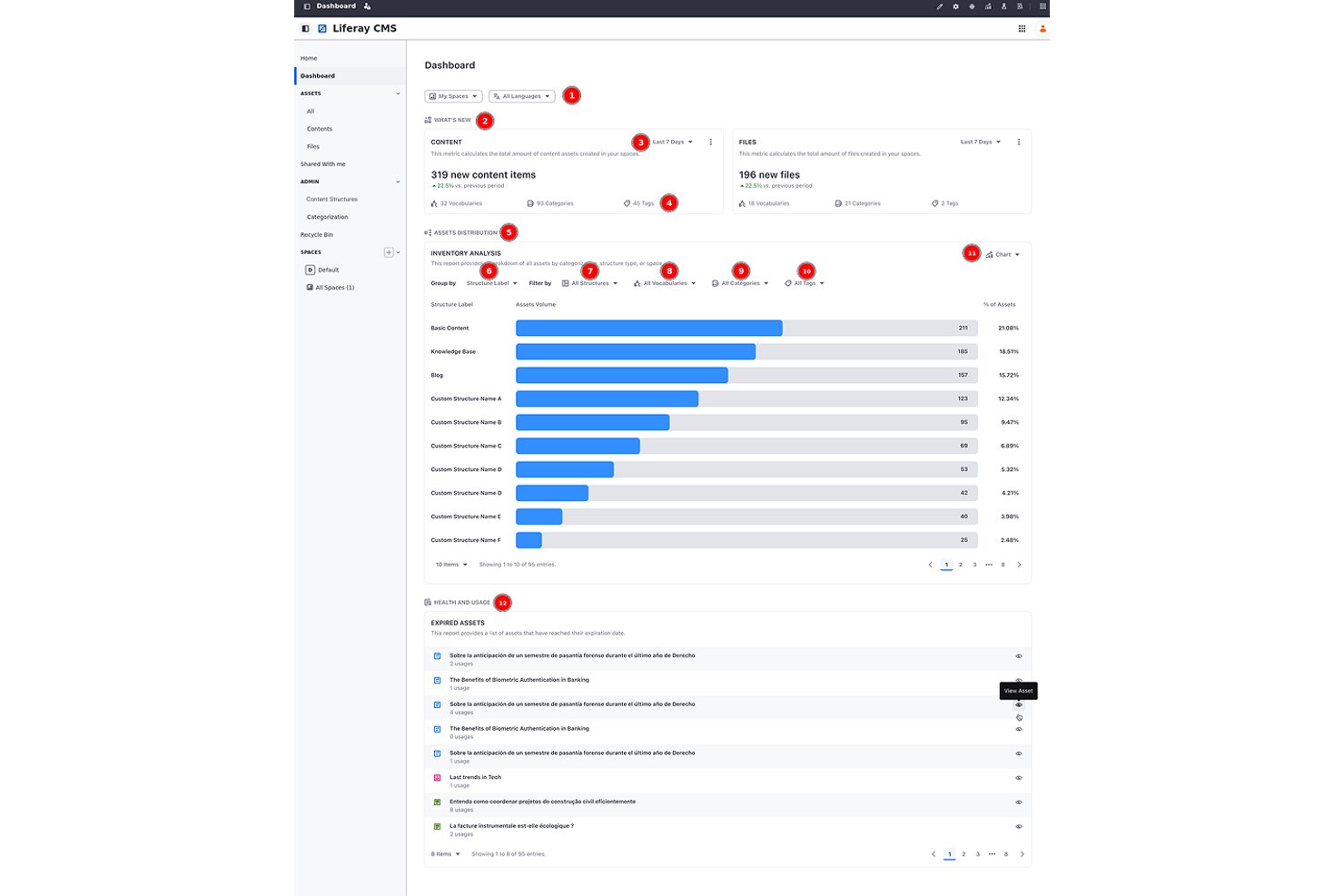
Liferay DXP is an open-source digital experience platform that combines headless CMS, DAM, multi-site management, B2B commerce, customer data unification, and AI-driven personalization into a single composable suite.
Who Is Liferay Best For?
Liferay DXP is a strong fit for enterprise teams managing complex B2B portals, intranets, or multi-site networks across multiple brands or regions.
Why I Picked Liferay
Liferay earns its spot on my shortlist because its multi-site governance is genuinely enterprise-grade. I've seen it handle scenarios like AGIA Affinity's launch of 300+ client sites in nine months, serving 30 million members, using site templates, style books, and bulk publishing with rollback. The Liferay Data Platform unifies CRM, behavioral, and account data into a single account record, feeding real-time personalization across every site in the network.
Liferay Key Features
- AI Hub agent builder: A low-code, drag-and-drop interface for building AI agents that connect to any LLM, including ChatGPT, Gemini, or Claude, via the Model Context Protocol.
- Headless CMS with Spaces: An API-first content repository that organizes content into Spaces, delivering it across web, mobile, and portals via REST, GraphQL, and SOAP.
- Liferay Data Platform: A B2B-focused data layer that unifies CRM, behavioral, and account-based marketing data into a single account record to power real-time segmentation.
- Integrated CDN with edge security: A built-in content delivery network with global edge caching, WAF presets, bot mitigation, and automatic cache purging on publish.
Liferay Integrations
Liferay DXP offers documented integrations with Salesforce, Google Drive, Office 365, MuleSoft, and SAP. REST, GraphQL, SOAP, and Marketplace integrations support custom connectivity across commerce, CRM, and enterprise systems.
Pros and Cons
Pros:
- AI agents connect to preferred LLMs
- Account-level data powers B2B personalization
- Proven governance for hundreds of branded sites
Cons:
- Self-hosted upgrades add ongoing operational work
- Advanced segmentation depends on Analytics Cloud

Best with agentic AI for content governance
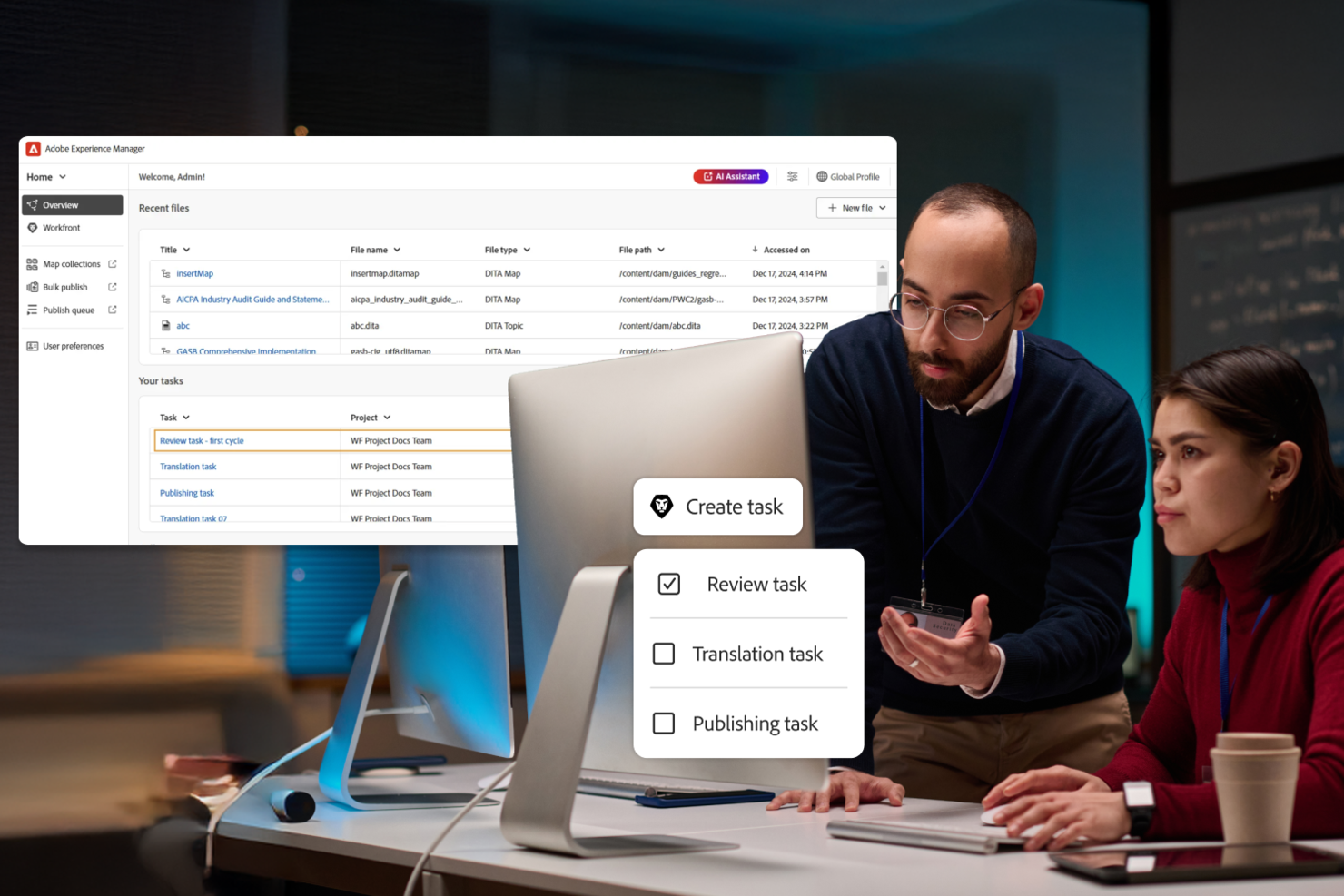
Adobe Experience Manager is a digital experience platform for enterprises and large organizations that need to manage, personalize, and deliver content across web, mobile, and emerging channels while maintaining brand consistency and operational efficiency.
Who Is Adobe Experience Manager Best For?
Large enterprises and marketing teams that need to deliver consistent, personalized digital experiences across multiple channels and devices.
Why I Picked Adobe Experience Manager
I picked Adobe Experience Manager as one of the best because its agentic AI features help my team automate content governance at scale. I use built-in AI to flag outdated assets, enforce brand guidelines, and streamline approvals across multiple sites. In practice, that means we can keep our digital content compliant and consistent without manual oversight.
Adobe Experience Manager Key Features
- Headless CMS: Manage and deliver content to any channel or device using APIs.
- Digital asset management: Organize, store, and distribute images, videos, and documents from a central library.
- Personalization engine: Target content and experiences to specific audiences based on user data and behavior.
- Form builder: Create, publish, and manage interactive forms for web and mobile without coding.
Adobe Experience Manager Integrations
Integrations include Adobe Workfront, Adobe GenStudio for Performance Marketing, Adobe Express, Adobe Creative Cloud, Adobe Firefly, Adobe Analytics, Frame.io, Adobe Commerce, OneDrive, and Dropbox.
Pros and Cons
Pros:
- Agentic AI tools for automated content governance
- Native support for digital signage management
- Advanced personalization and targeting options
Cons:
- Updates and patches can disrupt workflows
- Requires Adobe ecosystem for full functionality

Acquia
Best for built-in monitoring and performance tools
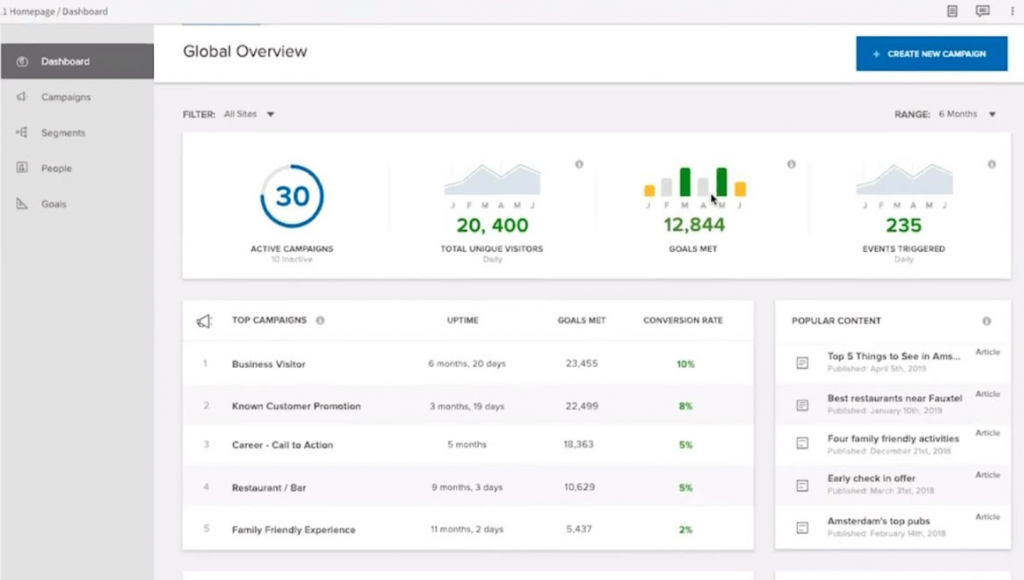
Acquia is a Drupal-based digital experience platform that combines content management, asset management, multi-site governance, customer data, personalization, and built-in infrastructure monitoring across web and digital channels.
Who Is Acquia Best For?
Acquia is a strong fit for enterprise IT and digital operations teams managing large, multi-site Drupal portfolios who need built-in performance visibility without bolting on separate monitoring tools.
Why I Picked Acquia
I picked Acquia as one of the best because no other platform in this category bundles infrastructure observability this deeply into the product itself. Stack Metrics gives you real-time and historical charts across your load balancer, application, and database layers, and New Relic APM Pro comes included in every Cloud Platform tier rather than as a paid add-on. I also like that Acquia AI can cross-reference access logs, error logs, and slow-query logs against live platform metrics to surface fix suggestions before issues escalate.
Acquia Key Features
- Drupal Canvas drag-and-drop builder: A visual page builder that lets marketers assemble pages from an approved component library without writing code.
- Acquia CDP identity resolution: Links anonymous visitor behavior to known customer profiles by pulling in data from CRM, ecommerce, email, and offline sources.
- Site Factory multi-site console: A single dashboard for deploying updates, cloning sites, and managing role-based governance across an entire Drupal site portfolio.
- Conversion Optimization A/B testing: Runs A/B, multivariate, and split-URL tests using Bayesian statistics, with an AI co-pilot that generates test ideas from behavioral data.
Acquia Integrations
Acquia Exchange lists 190 integrations, including Salesforce, Shopify, Adobe Marketo, and Adobe Commerce. Acquia DAM adds nearly 300 connectors, including Adobe Creative Cloud and Workfront, while REST APIs support custom integrations.
Pros and Cons
Pros:
- Edge monitoring pairs delivery with security
- Multi-site governance supports large Drupal portfolios
- Built-in APM spans infrastructure layers
Cons:
- Drupal operations require specialized expertise
- Stack Metrics charts remain partly unavailable

Best for experimentation-led personalization at scale
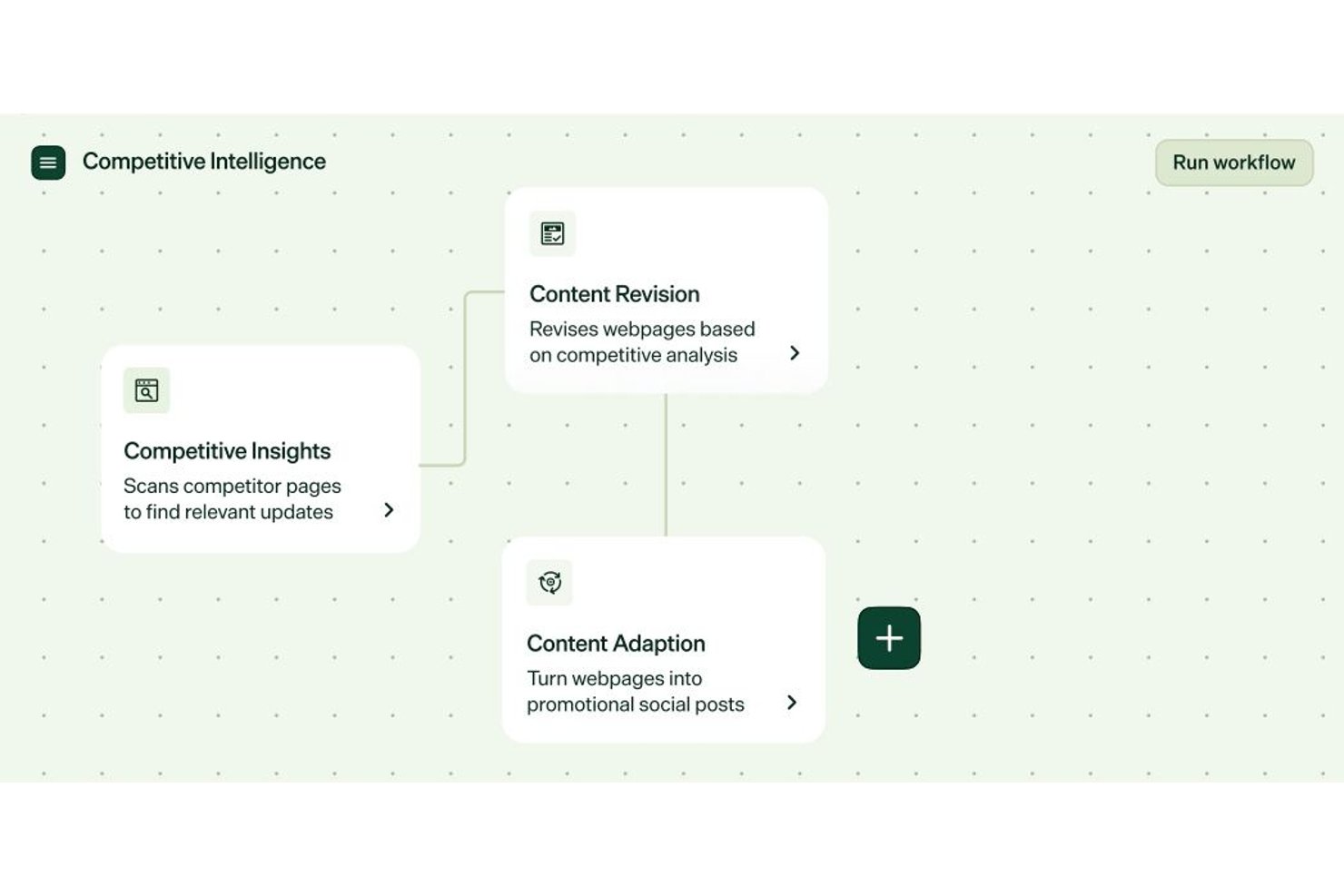
Optimizely is a DXP that combines a headless CMS, AI-driven personalization, A/B experimentation, customer data management, and commerce into one connected suite.
Who Is Optimizely Best For?
Optimizely is a strong fit for enterprise marketing and digital teams that run continuous A/B experiments and need personalization tied directly to real data.
Why I Picked Optimizely
Optimizely earns its spot on my shortlist because no other platform ties experimentation to personalization as tightly as it does. I love that A/B tests aren't just for optimization—they're the delivery mechanism for personalized experiences, with Optimizely's Stats Engine measuring each variation before rollout. The Data Platform builds identity-resolved profiles with predictive scores (propensity to buy, churn risk, LTV) that feed real-time CMS personalization, so every experience is grounded in actual customer behavior, not assumptions.
Optimizely Key Features
- Visual Builder: A drag-and-drop page editor that lets marketers create and customize content layouts without triggering a code deployment.
- Optimizely Graph: A GraphQL API that delivers content across web, app, commerce, and other channels from a single headless layer.
- Agent Platform (Opal): A suite of 50+ AI marketing agents with a no-code workflow builder that runs on triggers or schedules with built-in human approval steps.
- Configured Commerce: A B2B commerce portal with account-specific pricing, quoting, and AI-driven merchandising integrated directly into the CMS.
Optimizely Integrations
Optimizely offers marketplace integrations across 700+ technology partners, including Salesforce, Marketo, Vercel, commercetools, and Google Cloud. Its GraphQL and REST APIs, webhooks, and commerce connections support custom integrations with CRM, ERP, and PIM systems.
Pros and Cons
Pros:
- Headless delivery supports many channels
- Predictive profiles inform real-time experiences
- A/B tests guide personalization rollouts
Cons:
- CMS 13 migration carries feature gaps
- Full value often requires custom development
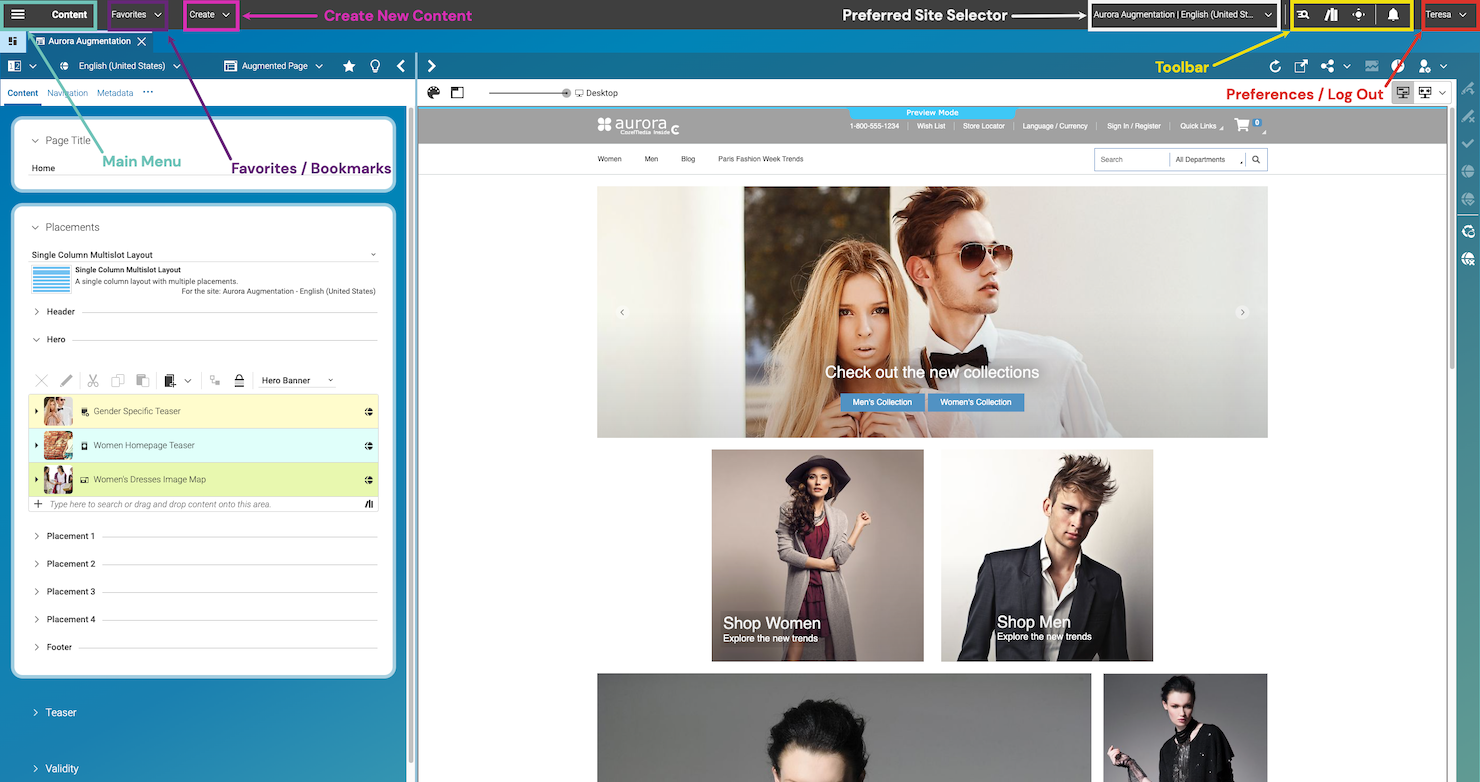
CoreMedia is a composable digital experience platform designed to enhance user engagement through personalized content delivery and robust integration capabilities. It provides a flexible and scalable solution that caters to various business needs, ensuring a tailored digital experience for users.
Why I Picked CoreMedia: I picked CoreMedia because of its AI-powered insights that offer real-time analytics and performance dashboards directly in the content management system. This feature allows you to make data-driven decisions and optimize customer engagement effectively. Additionally, its hyper-personalization capability ensures that you can deliver relevant experiences tailored to individual user preferences across multiple channels.
CoreMedia also excels in omnichannel engagement, facilitating consistent interactions through various touchpoints like websites, apps, and social media. This ensures that your customers experience a unified journey, no matter where they interact with your brand. These features make CoreMedia a standout choice for businesses looking to enhance their digital experience strategies.
Standout Features & Integrations:
Features include smart content management that allows for in-context previews and workflow management, ensuring compliance with built-in digital asset management. It also supports real-time conversations through video shopping, chatbots, and live chat, providing valuable insights into user engagement. Inspirational commerce connects the buying journey with built-in integrations for major platforms, enabling shoppable content that boosts conversions.
Integrations include HubSpot, Zendesk, Eventbrite, Salesforce, SAP, LinkedIn, Twitter, YouTube, Cloudflare, Google, ZoomInfo, and Byside.
Pros and Cons
Pros:
- Enables tailored content presentation without performance issues
- Facilitates teamwork and allows multiple contributors
- Allows customizable content publishing workflows
Cons:
- Lack of preview feature
- The interface is more developer-oriented
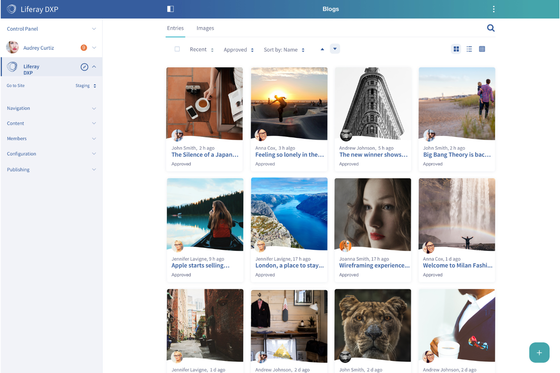
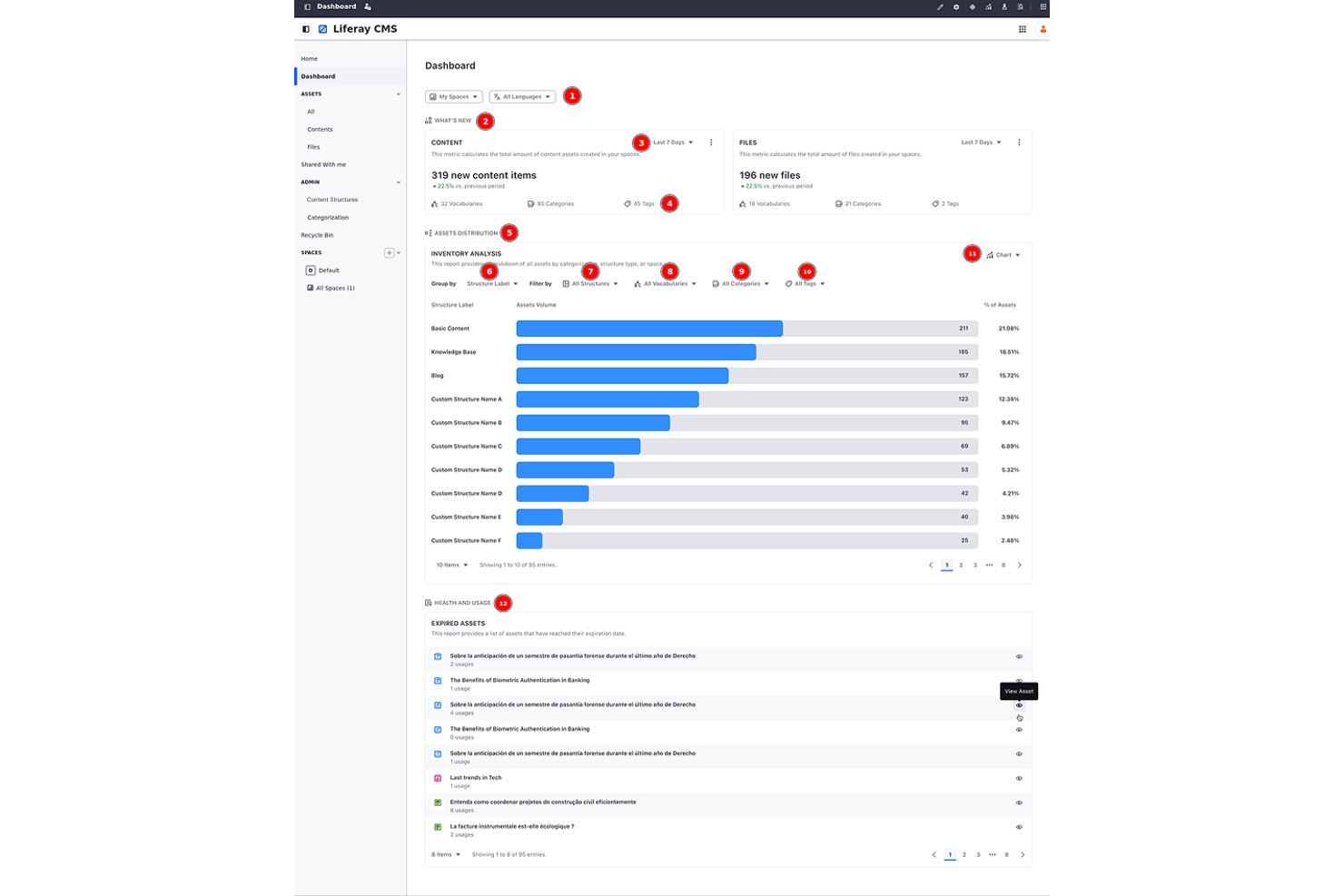
Liferay Digital Experience Platform is an enterprise DXP that combines headless CMS, DAM, multi-site management, personalization, and B2B/B2C commerce into a single, API-first platform.
Who Is Liferay Digital Experience Platform Best For?
Liferay DXP is a strong fit for enterprises in regulated industries—like financial services and the public sector—that need to manage dozens or hundreds of portals across brands, regions, or business units.
Why I Picked Liferay Digital Experience Platform
Liferay DXP earns its spot on my shortlist because of how it handles multi-site governance at scale, with site hierarchies, style books, and bulk publishing that let central teams push updates across hundreds of portals while giving local teams delegated control. I especially like the built-in DAM, which syncs asset updates automatically across every site the moment you make a change. Add SSO support across those portals, and you've got a genuinely unified identity layer that most platforms bolt on as an afterthought.
Liferay Digital Experience Platform Key Features
- AI content generation: The AI Creator tool connects to ChatGPT to generate text directly within web content, while AI Hub lets you build custom agents that trigger automatically on DXP events.
- A/B testing: Run tests on page elements measuring bounce rate or clicks, then publish the winning variant directly from the platform.
- Composable architecture: REST, SOAP, and GraphQL APIs let you connect DXP to external systems, with a REST API Builder for creating custom endpoints.
- Analytics and cohort analysis: Track user paths, custom events, search terms, and content performance, with data residency options across five global regions.
Liferay Digital Experience Platform Integrations
Liferay DXP offers native integrations with Salesforce, SugarCRM, Google Drive, Microsoft 365, OneDrive, MuleSoft, SharePoint, Alfresco, and Nuxeo. It also supports Marketplace integrations and REST, SOAP, and GraphQL APIs for custom connectivity.
Pros and Cons
Pros:
- Supports structured content and multilingual governance
- Syncs shared assets across sites automatically
- Governs hundreds of sites with local control
Cons:
- Customizations can complicate upgrades and maintenance
- Complex administration slows nontechnical teams
When to Use Digital Experience Platforms
A digital experience platform (DXP) brings together content management, customer data, and cross-channel delivery into one connected system. The result: consistent, personalized experiences across every touchpoint without your team stitching it together manually. If any of the scenarios below sound familiar, it's worth taking a closer look:
- Your content is living in too many places at once: You're managing a website, mobile app, and regional microsites through separate tools and spreadsheets, and keeping them consistent is a full-time job. A DXP centralizes content and publishing so updates go everywhere at once, cutting your team's coordination time significantly.
- You're going omnichannel but the experience feels disjointed: A customer browses your app, then visits your site, and it feels like two different brands. A DXP syncs content and customer data across channels so the journey stays seamless, no matter where someone shows up.
- Personalization is on your roadmap but keeps getting deprioritized: You have the customer data, but no infrastructure to act on it at scale. A DXP layers personalization into your delivery engine, so the right content reaches the right segment automatically.
- It's taking 3+ weeks to launch a campaign: Your team has the creative assets ready, but getting content live across regions requires dev tickets, approvals, and back-and-forth that drags timelines out. A DXP gives marketers the control to publish without bottlenecks.
- You're expanding into new markets and localization is a mess: Managing translated content and regional variations across separate CMS instances creates version control chaos. A DXP handles multi-language, multi-region delivery from one place, keeping every market on-brand.
Other Digital Experience Management Software
Here’s a few more DX tools that didn’t make the top list.
- Kentico Xperience
For agentic AI within an all-in-one DXP
- OpenText Experience Cloud
For enterprise CCM and web CMS at scale
- Contentful
For composable, API-first content at scale
- Censhare
For centralized content management
- Magnolia CMS
Open CaaS solution to connect with CMS
- Sitefinity
For AI-powered content creation
- Sitecore Experience Platform
For personalized content delivery
- Crownpeak
For personalized digital experiences
- Salesforce Experience Cloud
For CRM-native customer and partner portals
- Jahia
For multi-site governance with built-in CDP


How I Evaluate Digital Experience Platforms
DXPs are what organizations turn to when they're managing multi-site content, personalizing experiences across web and mobile, and connecting marketing to commerce and CRM. When I evaluate these platforms, I think in two layers: a baseline every tool must meet and differentiators that separate one pick from another.
Core Functionality (Table Stakes for This List)
For digital experience platforms, the core functionality I test and evaluate is:
- Content Management: I look for enterprise-grade authoring workflows, versioning, and modular content blocks that let teams publish across sites without developer help.
- Omnichannel Delivery: Serving content to web, mobile, kiosks, and chatbots matters. I check whether the platform supports headless APIs alongside visual page editing.
- Personalization Engine: Rules-based segmentation is the floor. I evaluate how well the platform targets content by behavior, geography, or profile data in real time.
- Integration Layer: DXPs sit at the center of a tech stack. I look for pre-built connectors and open APIs that link to CRMs, commerce engines, CDPs, and analytics tools.
- Digital Asset Management: Teams managing thousands of images and videos need solid DAM. I check for tagging, transformation, and cross-channel asset reuse capabilities.
- Multisite & Localization: Global brands run dozens of regional sites. I evaluate how the platform handles shared content, translation workflows, and locale-specific governance.
- Composable Architecture: I look for modular, API-first design that lets you adopt capabilities incrementally rather than locking into a monolithic, all-or-nothing suite.
A tool has to deliver most of these capabilities to earn a spot on the list. From there, I consider what sets each tool apart.
Standout Features (What Separates the Picks)
I look for native AI-driven content generation and smart personalization tools that help teams automate copy, recommendations, and image variations. Deep workflow automation—like auto-tagging assets, auto-publishing, and built-in content governance—can make a platform stand out for organizations with high content volumes. Integrated experimentation and A/B testing let marketers continuously optimize user journeys without relying on third-party add-ons.
What I Weigh Beyond Features
Implementation complexity is a major factor. Some DXPs require 12+ months and specialized developer talent, while others get teams live in weeks. I evaluate the partner ecosystem and available system integrators, since most enterprises rely on agencies for deployment. Architectural flexibility matters too—whether a platform supports on-premise, cloud, or hybrid hosting can be a dealbreaker in regulated industries like healthcare or financial services. I also consider how much marketers can accomplish independently without filing developer tickets for every page update.
What Are Digital Experience Platforms?
Digital experience platforms are tools that help businesses create, manage, and optimize customer interactions across digital channels. They centralize content, data, and delivery systems to enable consistent, personalized experiences throughout the customer journey.
How to Choose Digital Experience Platforms
To help you stay focused as you work through your unique software selection process, here’s a checklist of factors to keep in mind while choosing a DXP:
| Factor | What to Consider |
|---|---|
| Scalability | Ensure the platform can grow with your business, handling increased traffic and content without issues. |
| Integrations | Look for compatibility with existing tools like CRM, ERP, and analytics to keep your systems connected. |
| Customizability | Check if the platform allows you to tailor features and interfaces to match your brand, workflows, and customer lifecycle. |
| Ease of Use | The platform should be intuitive, minimizing training time and improving user adoption for your team. |
| Budget | Consider the cost against your budget, including hidden fees and the value of included features. |
| Security Safeguards | Verify data protection measures like encryption, backups, and compliance with regulations. |
| Support Services | Assess the level of customer support available to assist you when needed. |
| Performance | Evaluate the platform's speed and reliability, ensuring it can deliver content efficiently to users. |
Trends in Digital Experience Platforms
In my research, I sourced countless product updates, press releases, and release logs from different digital experience platforms vendors. Here are some of the emerging trends I’m keeping an eye on:
- Headless Architecture: Many platforms are adopting headless CMS to provide more flexibility in delivering content across various channels. This architecture allows developers to use their preferred front-end tools, enhancing customization options and performance.
- AI-Driven Personalization: AI is being used to tailor user experiences based on real-time data. Platforms are using AI to analyze user behavior and deliver personalized content, making interactions more relevant and engaging.
- Composable DXP: Vendors are shifting towards composable architectures, allowing users to mix and match capabilities. This trend supports faster implementation and greater flexibility, letting businesses adapt quickly to market changes.
- Omnichannel Experience: Providing a consistent experience across all touchpoints is becoming vital. Platforms are focusing on integrating various channels to ensure users receive the same brand message and service quality, regardless of how they interact.
- User Experience Analytics: There’s a growing emphasis on tools that provide deep insights into user interactions. These digital experience analytics help businesses understand how users engage with their content and identify areas for improvement, enhancing overall digital strategies.
Features of Digital Experience Platforms
When selecting a digital experience platform, keep an eye out for the following key features:
- Content management system: Organize, create, and update digital content in one central place. This helps you quickly refresh your site, launch campaigns, or manage blogs without reinventing the wheel every time.
- Personalization tools: Serve up custom experiences based on user behavior, location, or profile data. This makes your visitors feel like you're reading their minds—showing them exactly what they need, right when they need it.
- Omnichannel delivery: Connect with users wherever they are—whether it’s on your website, in an app, or through email. This feature ensures your messaging is seamless, consistent, and not stuck in one channel.
- Headless architecture: This separates the front-end and back-end. You have flexibility in delivering content across different devices and formats.
- Integration capabilities: Easily plug into your CRM, marketing automation, analytics, or other business tools. You waste less time jumping between systems and can build a smoother workflow.
- Analytics and reporting: Dive into real-time data on user behavior, content performance, and site metrics. Get clear insights to tweak, refine, or totally overhaul your digital strategy based on what actually works.
- User journey mapping: Visualize how users move through your digital spaces—from their first click to checkout. It’s like having a bird’s eye view of your customer’s adventure so you can smooth out any bumps.
- Security and compliance: Keep sensitive data and customer information locked down tight, with features that help you meet privacy laws and regulations. No one wants a security incident on their watch.
- Workflow and collaboration tools: Let teams work together smoothly by assigning roles, tracking progress, and approving content in one platform—no more messy email threads or lost files.
Common Digital Experience Platform AI Features
Beyond the standard digital experience platform features listed above, many of these solutions incorporate AI with features like:
- Automated content recommendations: Use AI to suggest relevant articles, products, or offers to each visitor, making your content feel perfectly tailored to them—without any manual guesswork.
- Predictive analytics: Let AI forecast user behaviors and trends before they happen, so you can prepare campaigns and strategies that hit the mark.
- Chatbots and virtual assistants: Offer instant, AI-powered support to answer questions or guide users, giving your audience help any time—even when you’re not around.
- Dynamic personalization: Automatically change site layouts, content, or calls-to-action for each visitor, based on what AI learns in real time about their preferences and actions.
- Sentiment analysis: Detect how users feel about your brand or content using AI to analyze feedback, reviews, or social posts, letting you address issues or celebrate wins quickly.
Benefits of Digital Experience Platforms
According to Gartner, 40% of organizations will fail to deliver impactful digital experiences by 2027 due to lack of a cohesive, intelligent content coordination and content operations strategy.
Implementing digital experience platforms provides several benefits for your team and your business. Here are a few you can look forward to:
- Enhanced engagement: Personalization features help tailor content to users, boosting interaction and satisfaction.
- Improved operational efficiency: Workflow automation simplifies content approval and publishing, saving time and effort.
- Data-driven insights: Digital experience analytics provide valuable information on user behavior and customer needs, aiding in better decision-making.
- Consistent branding: Omnichannel support ensures your brand message remains uniform across all platforms.
- Flexibility in delivery: Headless architecture allows you to deliver content seamlessly across various devices.
- Scalability: The ability to handle increased traffic and content supports your business as it grows.
- Customer-centric approach: Having a single, unified view of your customer data across multiple touch points allows you to keep your customers' needs front and centre.
Challenges in Implementing DXPs
Here are the challenges of implementing DXPs and potential solutions:
- High initial costs: Digital experience solutions can require significant investment in technology, infrastructure, and expertise. Consider a phased implementation and prioritize high-impact features to reduce upfront expenses.
- Complex integration: Connecting the DXP with existing systems, tools, and databases can be technically challenging. Use APIs and middleware solutions to streamline integration and minimize compatibility issues.
- Steep learning curve: Training staff to use and manage the platform may take time and resources. Invest in thorough training and provide ongoing support to empower your team. Building a self-service knowledge base can help your teams find answers quickly.
- Data silos: Consolidating data from multiple sources into a unified platform can be difficult, especially for legacy systems. Implement a customer data platform (CDP) to centralize and harmonize data effectively.
- Customization overhead: Tailoring a DXP for specific business needs may involve extensive development work. Focus on platforms with modular or low-code options to simplify customization efforts.
- Maintenance requirements: Ongoing updates, security management, and performance optimization add to the workload. Partner with managed services or choose a DXP provider that includes maintenance in their offerings.
- Vendor dependence: Proprietary or closed DXPs may lock businesses into specific vendors. Opt for open or hybrid DXPs that provide more freedom to switch or integrate additional tools.
- Scalability issues: Rapid business growth can strain the platform if it isn’t built to handle increased demand. Choose a DXP with cloud-native architecture to ensure easy scalability.
- Privacy and compliance: Ensuring the DXP adheres to GDPR or CCPA can be complex. Work with a legal expert and choose platforms with built-in compliance features.
- Misaligned goals: Without clear objectives, businesses struggle to align the DXP’s capabilities with their digital strategy. Define clear goals and involve stakeholders early to ensure the platform meets business needs.
Costs and Pricing of Digital Experience Platforms
Selecting digital experience platforms requires an understanding of the various pricing models and plans available. Costs vary based on features, team size, add-ons, and more. The table below summarizes common plans, their average prices, and typical features included in digital experience platforms solutions:
Plan Comparison Table for Digital Experience Platforms
| Plan Type | Average Price | Common Features |
|---|---|---|
| Free Plan | $0 | Limited support, basic content management, and minimal analytics. |
| Personal Plan | $5-$25/user/month | Enhanced content management, basic personalization, and standard analytics. |
| Business Plan | $50-$150/user/month | Advanced personalization, workflow automation, multi-channel support, and API access. |
| Enterprise Plan | $200-$500/user/month | Full customization, premium support, comprehensive analytics, and scalability options. |
Digital Experience Platform FAQ
Here are answers to some common questions people have about digital experience software.
Content Management System vs. Digital Experience Platform: How is it different?
A digital experience platform (DXP) offers more than a content management system (CMS). While a CMS handles website content, a DXP connects multiple channels and touchpoints—like web, mobile, and social—to create a unified customer journey. If you’re managing broader CX initiatives, a DXP helps with integration, analytics, and personalization that a basic CMS can’t provide.
How can DXP help with ecommerce personalization?
DXPs enable ecommerce personalization by tracking user behavior, segmenting audiences, and dynamically delivering relevant content and offers across channels. You can use customer data to tailor your store’s product recommendations, promotions, and communication, increasing engagement and sales.
Are there different types of digital experience platforms?
Yes, digital experience platforms come in various types, such as monolithic (all-in-one), composable (modular), open, and closed systems. The right type depends on your need for flexibility, integration with other tools, and scalability for your CX strategy.
What are cloud-based DXPs and SaaS DXPs?
Cloud-based and SaaS DXPs are platforms you access online instead of installing on-premises. These options give your team easier updates, maintenance, and scalability, while reducing IT overhead. For CX leaders, this means faster deployments and better adaptability to changing customer needs.
What is the difference between Open vs. Closed DXPs?
Open DXPs let you integrate more tools and customize your stack, while closed DXPs offer a single-vendor solution with less flexibility. If your CX strategy needs unique integrations, open systems help. If you prefer simplicity and vendor support, closed might be better.
What is a Composable DXP? How is it different from a Hybrid DX Platform?
A composable DXP is built from interchangeable modules, letting you pick and choose the best tools. Hybrid DXPs blend pre-built features with some modularity. Composable DXPs give CX leaders more flexibility and control over the customer journey as you scale or pivot.
How do digital experience platforms support omnichannel customer journeys?
DXPs unify customer data and touchpoints, letting you deliver consistent experiences across web, mobile, social, and offline channels. This ensures messages, branding, and services stay aligned throughout every step of the customer’s journey.
What should I look for when selecting a DXP for my organization?
Look for a DXP that integrates with your current tech stack, supports your channel strategy, and offers robust personalization and analytics features. Usability, scalability, and vendor support are also key for long-term value.
How do DXPs help improve customer retention and loyalty?
DXPs boost retention by personalizing interactions, unifying data across channels, and delivering seamless customer experiences. You can track engagement, identify pain points, and quickly optimize journeys, helping you build stronger, longer-term customer relationships.
Digital Experience Platforms to Transform Your CX
Digital experience platforms can revolutionize digital marketing and customer journeys. Leveraging composable architectures and focusing on the lifecycle of interactions, these platforms help marketing teams enhance activation and deliver superior digital customer experiences.
You can sign up for The CX Lead newsletter to stay up-to-date on all the latest trends and insights in customer experience from leading industry experts.