
10 Best Customer Experience Analytics Tools for 2026

10 Best Customer Experience Analytics Tools Shortlist


Customer experience analytics tools help you understand how people actually move through your product, service, or support journey. They surface the moments where customers get stuck, drop off, or convert so you can take action with confidence.
Drawing from over 10 years of experience in CX research, I’ve evaluated and curated the top customer experience analytics tools that are most effective for turning raw interaction data into clear insight. Whether you're tracking digital behavior, mapping journeys, or proving the impact of your CX initiatives, these platforms can help you make smarter, faster decisions.
Why Trust Our Software Recommendations
Our team has been testing and reviewing software since 2012. As CX leaders ourselves, we know how difficult—and important—it is to choose the right software.
For this guide, we evaluated tools using hands-on testing and independent research, scoring tools using our selection criteria.
Our reviews reflect our human editorial judgment, not a sales pitch.
Customer Experience Analytics Tools Comparison Table
This comparison table summarizes pricing details for my top customer experience analytics tools selections:
| Tool | Best For | Trial Info | Price | ||
|---|---|---|---|---|---|
| 1 | Best for understanding customer sentiment | Free demo available | Pricing upon request | Website | |
| 2 | Best for AI-driven insights | Free demo available | Pricing upon request | Website | |
| 3 | Best for unifying customer feedback | Free demo available | Pricing upon request | Website | |
| 4 | Best for real-time data activation | Free plan available | From $20/month | Website | |
| 5 | Best for B2B support environments | 14-day free trial | From $45/user/month (billed annually) | Website | |
| 6 | Best for understanding health of customer portfolios | Free demo available | Pricing upon request | Website | |
| 7 | Best tool with a smart summary generator | Free demo available | Pricing upon request | Website | |
| 8 | Best for ecommerce cart abandonment analysis | Free plan available | Pricing upon request | Website | |
| 9 | Best for NLP-driven voice of customer analysis | Free demo available | Pricing upon request | Website | |
| 10 | Best for closing the loop on VoC at scale | Free demo available | Pricing upon request | Website |


Overviews of the 20 Best Customer Experience Analytics Tools
To help you make the right choice, here’s an evaluation of the best customer experience analytics tools, including a summary of their key features, screenshots, and information on trials and pricing.

Unwrap
Best for understanding customer sentiment

Unwrap helps you turn the voice of your customers into decisions you can act on by automatically collecting and analyzing feedback from everywhere it lives—so you can understand trends, sentiment, and themes without digging through spreadsheets or siloed tools.
Why I Picked Unwrap
I picked Unwrap because its AI-driven feedback analysis directly addresses one of the biggest challenges in customer analytics—making sense of vast amounts of unstructured feedback. The platform’s automated feedback categorization uses advanced natural language processing to organize and surface meaningful sentiment patterns without manual tagging. This capability is especially valuable if your team needs to prioritize product improvements or support responses based on what customers are actually saying.
Unwrap Key Features
In addition to its standout capabilities, I also like that Unwrap offers:
- Alert Systems: Notify your team of new insights as they emerge, ensuring timely responses to customer needs.
- Customizable Dashboards: Tailor your data visualization to suit your team's specific requirements and focus areas.
- Real-Time Anomaly Detection: Alerts you when new trends or issues emerge.
- Feedback Assistant: Offers an interface where you can query your feedback and get answers in natural language.
Unwrap Integrations
Integrations include Salesforce, Zendesk, Intercom, Slack, HubSpot, Mailchimp, Google Analytics, Asana, Trello, and Jira.
Pros and Cons
Pros:
- Sentiment analysis helps teams quantify how users feel over time.
- AI tools surface emerging trends without manually scanning large datasets.
- Automates categorization of unstructured feedback into meaningful groups with NLP.
Cons:
- Feedback taxonomy setup may require extra effort to customize.
- Occasional gaps in native platform integrations compared to competitors.

Best for AI-driven insights

Enterpret is a customer analytics tool that uses AI-driven insights to analyze feedback from multiple sources in one place. By pulling data from sources like support tickets, surveys, and reviews, Enterpret helps teams identify recurring issues, customer needs, and trends. This makes it easier for product, support, and CX teams to act on feedback and improve customer experience with clearer direction.
Why I Picked Enterpret
I picked Enterpret because of its unique ability to integrate AI-powered insights directly into the customer analytics process. The platform's AI Insights feature lets you query customer feedback and gain contextual insights, which can be a game-changer for understanding underlying trends. Additionally, Enterpret's Real-Time Alerts feature ensures your team is immediately notified of emerging issues, enabling proactive responses. These features help teams analyze customer feedback more quickly and consistently, making it easier to act on what customers are saying.
Enterpret Key Features
In addition to AI-driven insights, Enterpret offers:
- Feedback Centralization: Organizes customer feedback into customizable themes, allowing your team to prioritize insights based on their impact.
- Automated Actions: Utilizes AI Agents to streamline workflows and resolve customer issues promptly, enhancing operational efficiency.
- Customer Knowledge Graph: Connects feedback to its impact on customers and products, providing a deeper understanding of customer needs.
- Workflow Integration: Seamlessly connects with tools like Jira, ensuring actions based on insights are efficiently executed.
Enterpret Integrations
Integrations include Jira, Slack, Zendesk, Intercom, Salesforce, HubSpot, Amplitude, Segment, Freshdesk, and Asana.
Pros and Cons
Pros:
- Aggregates customer feedback from multiple sources for comprehensive views
- Offers customizable dashboards for visualizing feedback metrics
- Supports automated reporting and proactive alerts via Slack or email
Cons:
- AI insights may need human review for context
- Less useful for teams with low feedback volume

Best for unifying customer feedback

Chattermill is a customer feedback analytics platform designed to help businesses better understand and act on customer sentiment. It’s particularly well suited to customer-focused teams in industries such as retail, financial services, and travel, where experience and retention are closely tied to feedback quality. By centralizing and analyzing unstructured feedback from surveys, reviews, support tickets, and other channels, Chattermill enables teams to uncover trends, prioritize improvements, and make more informed decisions about the customer journey.
Why I Picked Chattermill
I picked Chattermill because of its capabilities in unifying and analyzing customer feedback from diverse sources. Its automatic tagging and AI-generated summaries provide your team with clear and actionable insights, reducing the time spent on manual data analysis. Moreover, Chattermill's trend tracking feature allows you to monitor shifts in customer sentiment, enabling you to proactively address potential issues. This focus on actionable insights makes it a valuable tool for teams looking to enhance their customer experience strategies.
Chattermill Key Features
In addition to its core features, I also found several other capabilities that might interest you:
- Feedback Consolidation: Integrates feedback from surveys, online reviews, and support conversations into a single platform.
- AI-Driven Insights: Utilizes artificial intelligence to generate summaries and actionable insights from unstructured data.
- Customizable Dashboards: Offers customizable dashboards that allow your team to visualize and track key metrics.
- Sentiment Analysis: Provides sentiment analysis to help you understand the emotional tone of customer feedback.
Chattermill Integrations
Integrations include Zendesk, Trustpilot, Qualtrics, Salesforce, Slack, Intercom, HubSpot, Medallia, SurveyMonkey, and Typeform.
Pros and Cons
Pros:
- Industry specific sentiment models
- AI powered theme tagging
- Real time sentiment tracking
Cons:
- May require enterprise onboarding
- Pricing not publicly available

Klaviyo
Best for real-time data activation
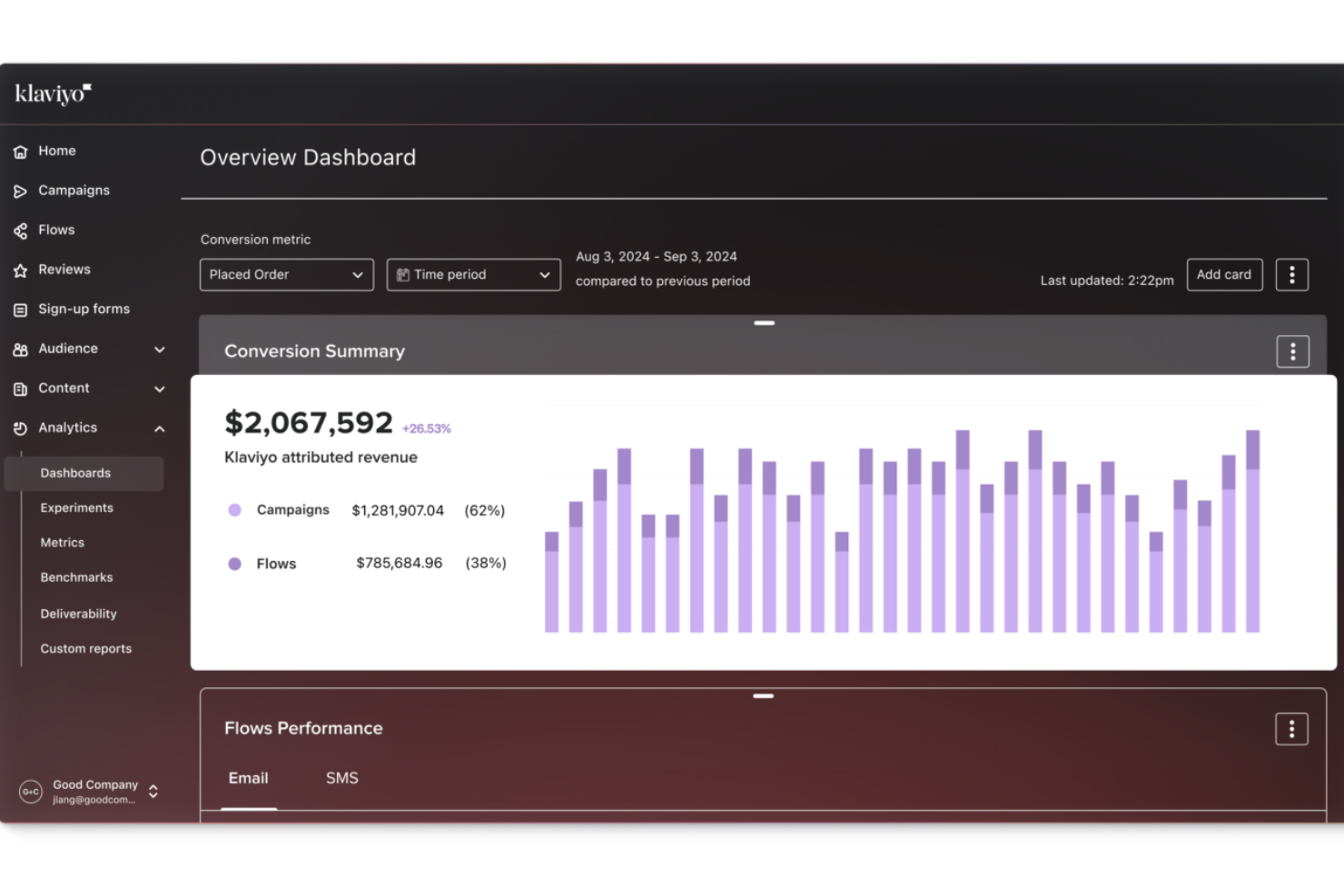
Klaviyo gives you a way to turn the customer data you’re already collecting into clear insights about buying behavior, lifecycle progression, and campaign performance so you can make better decisions without juggling separate analytics tools. It’s geared toward B2C marketers and ecommerce owners who want to understand and act on what customers do across channels like email, SMS, and ads, helping you tailor your outreach based on actual behavior and journey trends.
Why I Picked Klaviyo
I picked Klaviyo because of its real-time data unification and activation capabilities, which are pivotal for businesses looking to leverage customer analytics. The platform's advanced segmentation tools allow you to categorize customers based on behavioral and transactional data, providing a deeper understanding of customer needs. Additionally, Klaviyo's AI-driven insights help predict future trends, enabling your team to make informed decisions that enhance customer engagement and satisfaction.
Klaviyo Key Features
In addition to its real-time data capabilities, Klaviyo offers several other features:
- Omnichannel Marketing: This feature allows you to engage with customers across various platforms, ensuring consistent messaging and improved customer experiences.
- Email and SMS Marketing: Klaviyo provides tools for creating targeted email and SMS campaigns, helping you reach customers with personalized messages.
- Customer Profiles: You can create detailed customer profiles, integrating data from multiple sources to gain a comprehensive view of customer interactions.
- Attribution Reporting: Track how different campaigns and flows contribute to conversions and revenue across channels.
Klaviyo Integrations
Integrations include Shopify, Magento, WooCommerce, BigCommerce, Salesforce, Stripe, Facebook, Instagram, Google Ads, and Zendesk.
Pros and Cons
Pros:
- Supports omnichannel marketing, including email, SMS, and social media.
- Provides AI-driven insights for personalized marketing strategies.
- Offers comprehensive data integration for unified customer profiles.
Cons:
- Pricing can escalate quickly as contact lists grow.
- Some users desire more customization options.

Best for B2B support environments
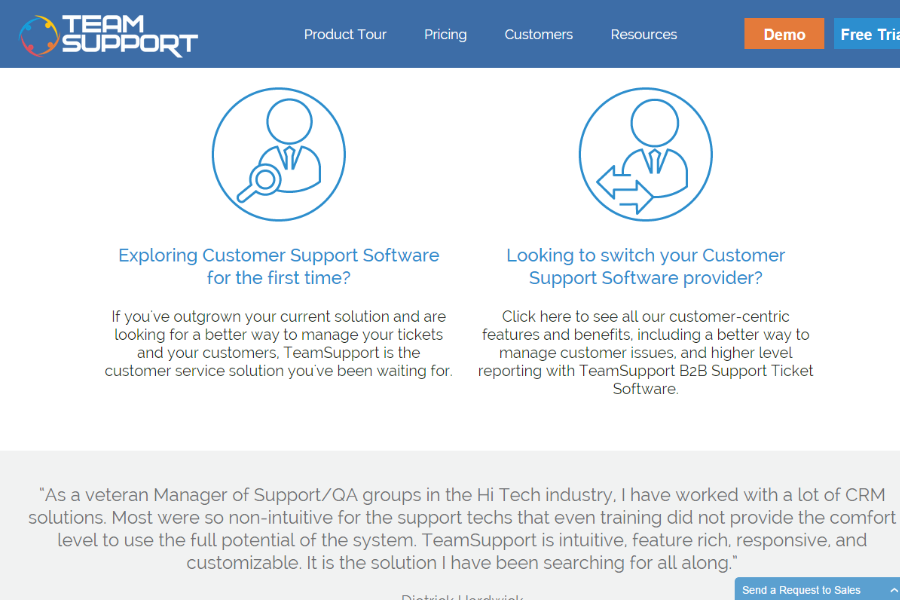
TeamSupport is a B2B customer support platform built for companies managing complex service environments. It combines ticket automation, workflow management, and built-in customer data tracking to help support teams coordinate across accounts and resolve issues efficiently. With native CRM integrations and an open API for custom connections, it gives teams clear visibility into customer history, active cases, and performance metrics so they can manage support at scale.
Why I Picked TeamSupport
I picked TeamSupport because of its focus on enhancing team collaboration through customer analytics. Its centralized hub for customer interactions allows you to maintain a comprehensive view of customer history, which is crucial for analytics. Additionally, the platform's AI capabilities, such as ticket summarization and intelligent assistance, provide actionable insights into customer interactions, helping you identify trends and areas for improvement. These features align perfectly with the needs of businesses seeking to optimize their customer support operations through analytics.
TeamSupport Key Features
In addition to its collaboration and AI features, TeamSupport offers several other functionalities that make it a strong candidate for customer analytics:
- Internal Chat: Facilitates seamless communication within your support team to address customer issues more efficiently.
- Collision Detection: Prevents multiple agents from working on the same ticket simultaneously, ensuring a streamlined support process.
- Ticket Assignment Rules: Allows you to automate the distribution of support tickets based on predefined criteria, optimizing team workload.
- Reporting Tools: Provides actionable insights into support metrics, helping you track performance and identify areas for improvement.
TeamSupport Integrations
Integrations include Salesforce, HubSpot, Microsoft Teams, SAP Sales and Service Clouds, Jira, and MailChimp. An open API is available for custom integrations.
Pros and Cons
Pros:
- Customizable customer self service hub
- Real time sentiment insights
- AI powered ticket automation
Cons:
- Limited mobile app functionality
- Knowledge base lacks configurability

Velaris
Best for understanding health of customer portfolios
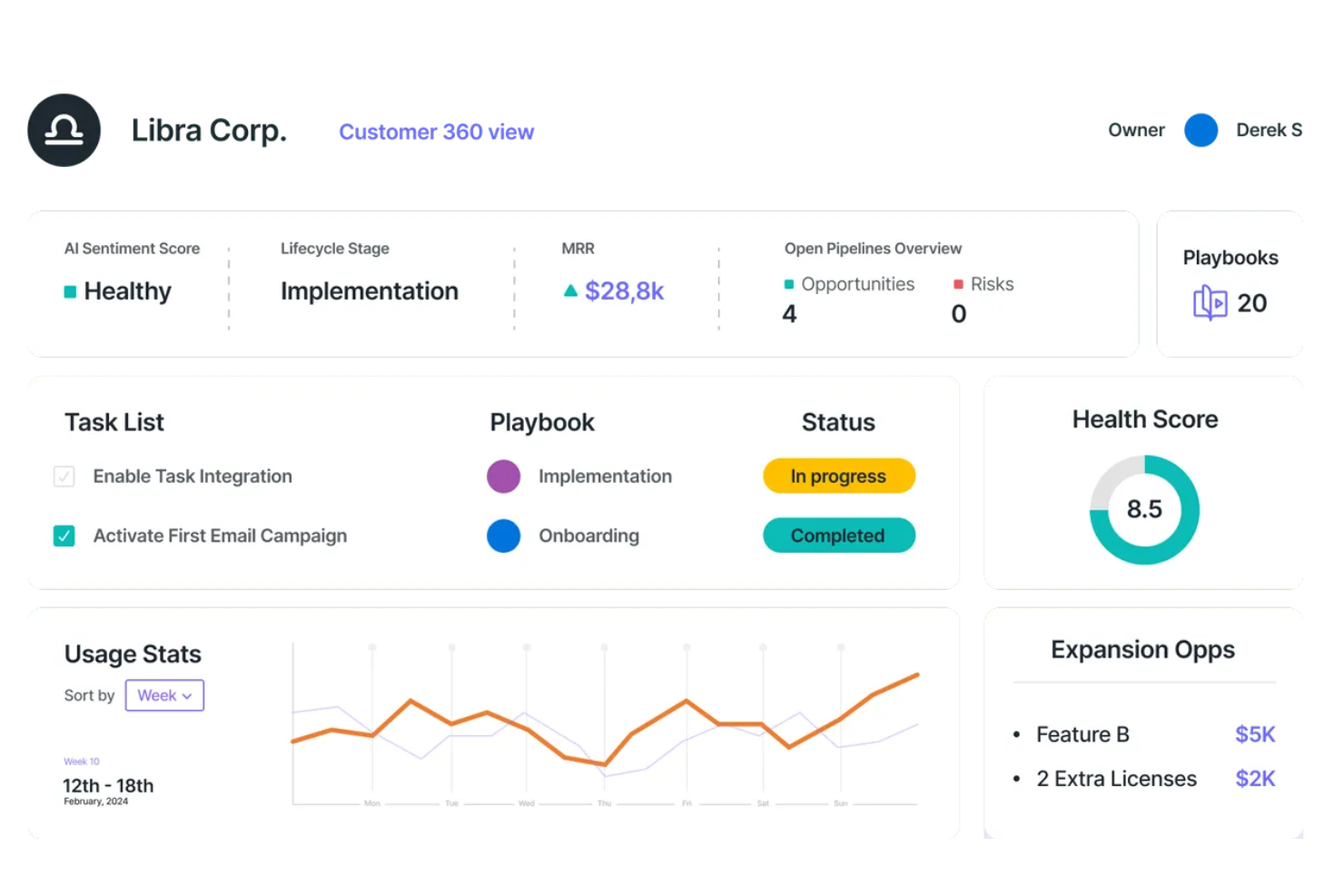
Velaris empowers your team with AI-driven insights to transform customer interactions into strategic opportunities. Designed for customer success leaders, sales teams, and executives, Velaris integrates with over 70 applications to provide a seamless view of customer data and health, enabling proactive engagement and decision-making. By predicting churn and automating low-value tasks, it allows you to focus on crafting personalized journeys and fostering lasting relationships without increasing your workload.
Why I Picked Velaris
I picked Velaris because it excels in providing a comprehensive understanding of customer portfolios through its AI-driven health monitoring and customizable health scores. This feature allows your team to proactively manage customer relationships by identifying at-risk accounts and addressing potential issues before they escalate. Additionally, Velaris offers real-time dashboards that centralize customer data, giving you a 360-degree view that supports strategic decision-making. By automating routine tasks, Velaris frees up your resources to focus on nurturing valuable customer interactions, making it an ideal choice for those seeking to enhance customer experience analytics.
Velaris Key Features
In addition to its strengths in understanding the health of customer portfolios, Velaris offers a suite of features designed to enhance your team's customer experience analytics capabilities.
- Customer 360 View: This feature provides a comprehensive overview of customer accounts, consolidating information for easy access and pipeline management.
- Sentiment Analysis: Utilizing AI, this feature assesses customer sentiment and identifies common issues, providing insights into customer interactions.
- Custom Objects: Allows you to create custom data fields for complex processes, offering flexibility in managing unique business needs.
- Collaboration Tools: Facilitates customer interactions through a dedicated portal, enhancing communication and engagement with clients.
Velaris Integrations
Integrations include Hubspot, Intercom, and over 70 other native tools. Velaris also supports custom integrations to align with your business needs.
Pros and Cons
Pros:
- Customizable dashboards allow tailored data visualization
- Good customer data aggregation
- Advanced analytics and success plans powered by AI
Cons:
- Integration effectiveness varies depending on existing systems
- Lack of sufficient user feedback for comprehensive evaluation

InMoment
Best tool with a smart summary generator
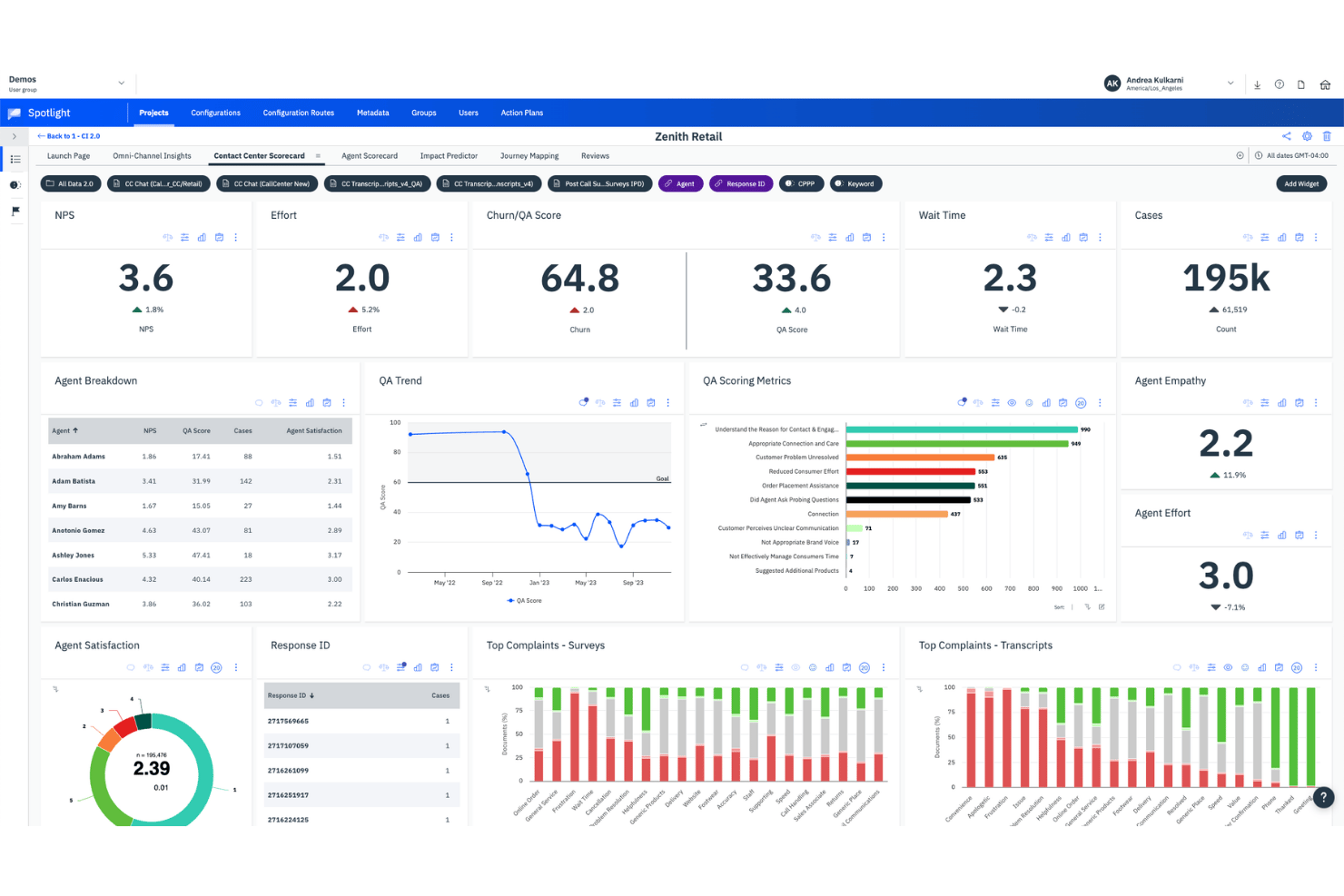
InMoment is a customer experience analytics platform that ingests feedback from surveys, calls, reviews, and digital channels, and applies AI-driven text analytics, sentiment analysis, and predictive modeling to surface actionable insights.
Who Is InMoment Best For?
InMoment is a strong fit for enterprise CX and VoC teams that need to pull feedback from dozens of sources and quickly surface themes without drowning in raw data.
Why I Picked InMoment
InMoment earns its spot on my shortlist because its Smart Summaries feature does something genuinely useful: it takes hundreds of raw feedback comments and collapses them into plain-language summaries, cutting analysis time by 75%. I also love that each summary links back to the source comments, so I can verify what the AI surfaced rather than just trusting it. Paired with Lexalytics-powered text analytics that detects intent, effort, and emotion across 26 languages, InMoment turns massive feedback volume into something a VoC team can actually act on.
InMoment Key Features
- Multi-channel data ingestion: Pulls feedback from surveys, calls, chat, email, IVR, reviews, social media, and CRM data into a single platform.
- Conversational Intelligence: Transcribes and analyzes calls, chats, and email threads, then generates AI summaries and agent scorecards for quality tracking.
- Impact Prediction: Models which CX factors drive NPS, CSAT, and CES scores, and simulates how specific improvements could affect business outcomes.
- Closed-loop case management: Assigns, tracks, and resolves customer issues with AI-drafted responses, and integrates with Salesforce, Zendesk, and Microsoft Dynamics.
InMoment Integrations
InMoment offers documented integrations with Salesforce, Zendesk, Microsoft Dynamics, Power BI, Tableau, Databricks, Shopify, Stripe, Google, and Trustpilot. It also supports REST APIs and webhooks for custom integrations.
Pros and Cons
Pros:
- Multi-channel insights support enterprise VoC programs
- Strong sentiment, intent, effort, and emotion detection
- Smart summaries reduce manual feedback analysis
Cons:
- Advanced AI capabilities require additional packages
- Complex filtering slows detailed feedback exploration

Best for ecommerce cart abandonment analysis
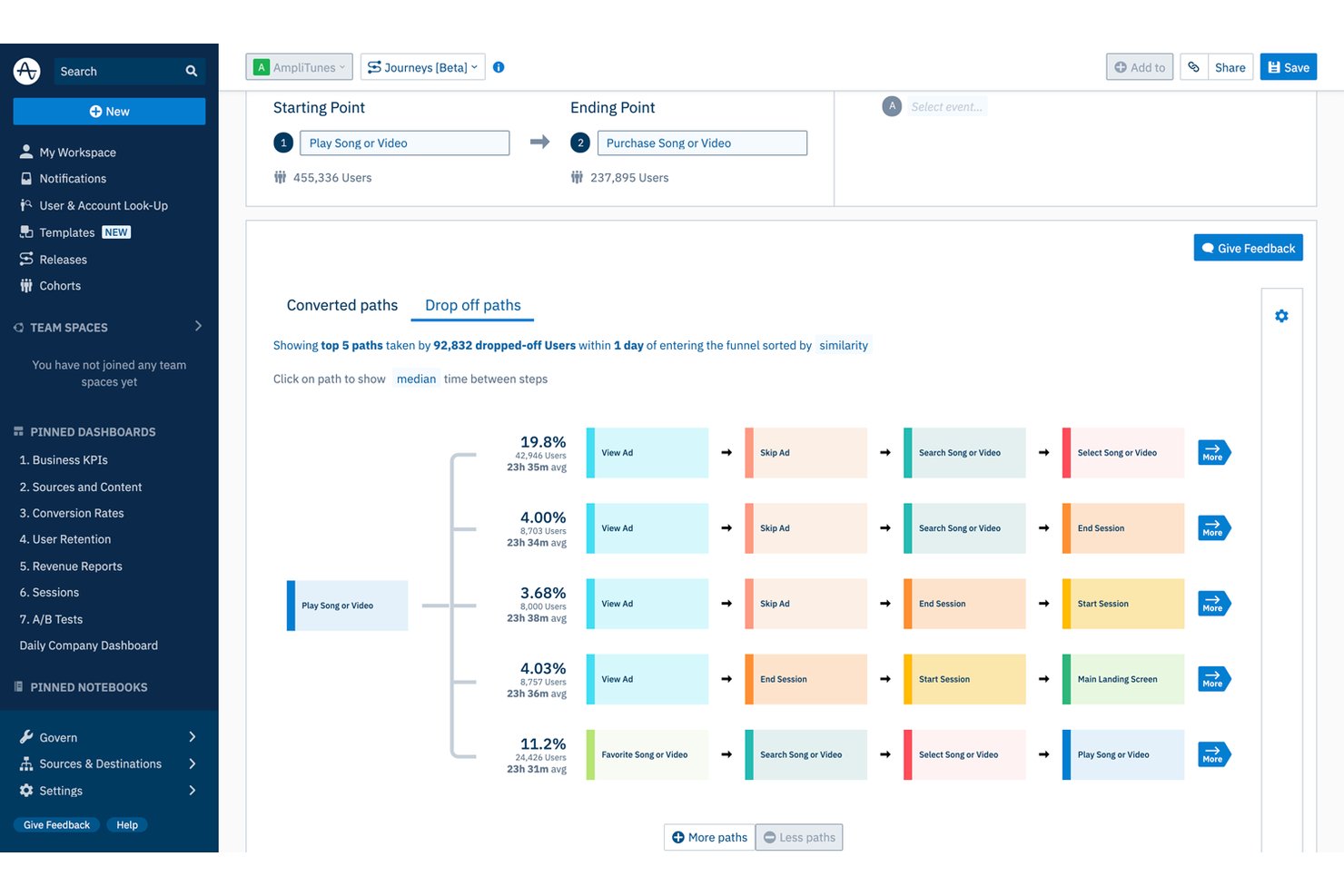
Amplitude is a behavioral and digital analytics platform that combines funnel analysis, journey mapping, session replay, AI-powered feedback aggregation, and predictive analytics to surface how users move through your product or ecommerce experience.
Who Is Amplitude Best For?
Amplitude is a strong fit for ecommerce and product-led teams that want to connect behavioral data, cart analysis, and predictive insights in one place.
Why I Picked Amplitude
I picked Amplitude as one of the best because its Cart Analysis feature goes deeper than standard funnel reporting. It breaks down abandonment by SKU, category, brand, and price, so you can see exactly which products are losing customers and at what basket size. I also love how Journeys maps the paths of users who converted versus those who dropped off, making it easy to spot where cart friction actually starts.
Amplitude Key Features
- AI Feedback aggregation: Pulls in reviews, support tickets, surveys, and social media posts into a single dashboard, linking feedback themes to in-product behavior.
- Predictive cohorts: Groups users by their likelihood to convert, churn, or purchase using a transformer-based model trained on hundreds of behavioral signals.
- Guides and surveys: Triggers NPS, microsurveys, and visitor feedback forms based on user behavior, with controls to limit how often individual users see them.
- Behavioral benchmarks: Compares your acquisition, activation, and retention metrics against anonymized data from over 2,600 companies across 17 industries and 102 countries.
Amplitude Integrations
Amplitude offers native integrations with Zendesk, Intercom, Freshdesk, Salesforce, Snowflake, BigQuery, Segment, Qualtrics, and Sprig. Its Profile API, Behavioral Cohorts API, and data access APIs support custom integrations.
Pros and Cons
Pros:
- Predictive cohorts support retention targeting
- Journey maps expose conversion friction
- Cart analysis pinpoints product-level abandonment
Cons:
- Feedback analysis lacks native speech analytics
- Advanced reports require substantial instrumentation expertise

Best for NLP-driven voice of customer analysis
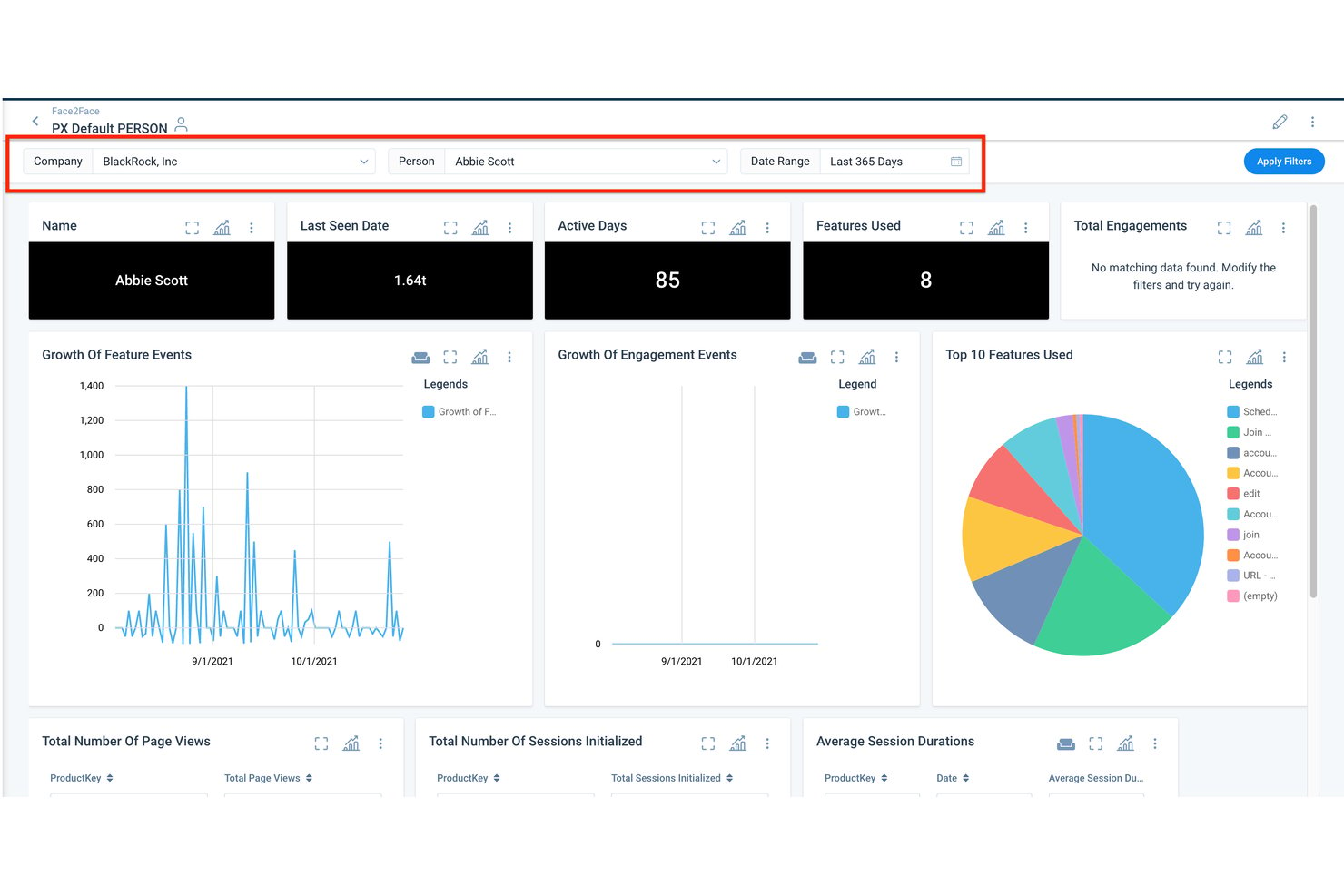
Gainsight is a customer success and experience analytics platform that combines NLP-driven feedback analysis, health scoring, predictive churn modeling, and product behavioral analytics across a unified customer data platform.
Who Is Gainsight Best For?
Gainsight is a strong fit for B2B SaaS customer success teams that need to turn survey responses, support conversations, and product usage data into clear retention and expansion signals.
Why I Picked Gainsight
I picked Gainsight as one of the best because its proprietary NLP engine goes deeper than most feedback tools, scoring sentiment from −10 to +10 while accounting for negation, sarcasm, and mixed signals in open-text responses. Its Impact Analyzer connects those sentiment patterns directly to NPS, CSAT, and renewal outcomes, so you can see which topics are actually driving churn. Staircase AI adds real-time conversation intelligence across emails, tickets, and meetings, surfacing risk signals before they become losses.
Gainsight Key Features
- Customer 360: A unified account view that surfaces health scores, product usage, support history, renewal data, and stakeholder maps in one place.
- Digital orchestration: Automates customer journeys by combining emails, in-app guides, surveys, and human touchpoints, with AI suggesting timing and content.
- Pre-built AI agents: Risk, handoff, and expansion agents that surface signals and recommend next-best actions tied to retention and revenue outcomes.
- In-app surveys: Deploys targeted CSAT, NPS, and CES surveys directly inside your product on web, mobile, and desktop with real-time feedback tracking.
Gainsight Integrations
Gainsight’s integrations marketplace includes Salesforce, Zendesk, Intercom, Snowflake, BigQuery, Redshift, Gong, Zoom, Slack, and Productboard. It also supports data connectivity through Fivetran and Segment.
Pros and Cons
Pros:
- Product analytics links behavior with retention
- Conversation signals surface churn risk early
- NLP connects sentiment to renewal outcomes
Cons:
- Complex administration slows broad team adoption
- English translation limits multilingual feedback analysis
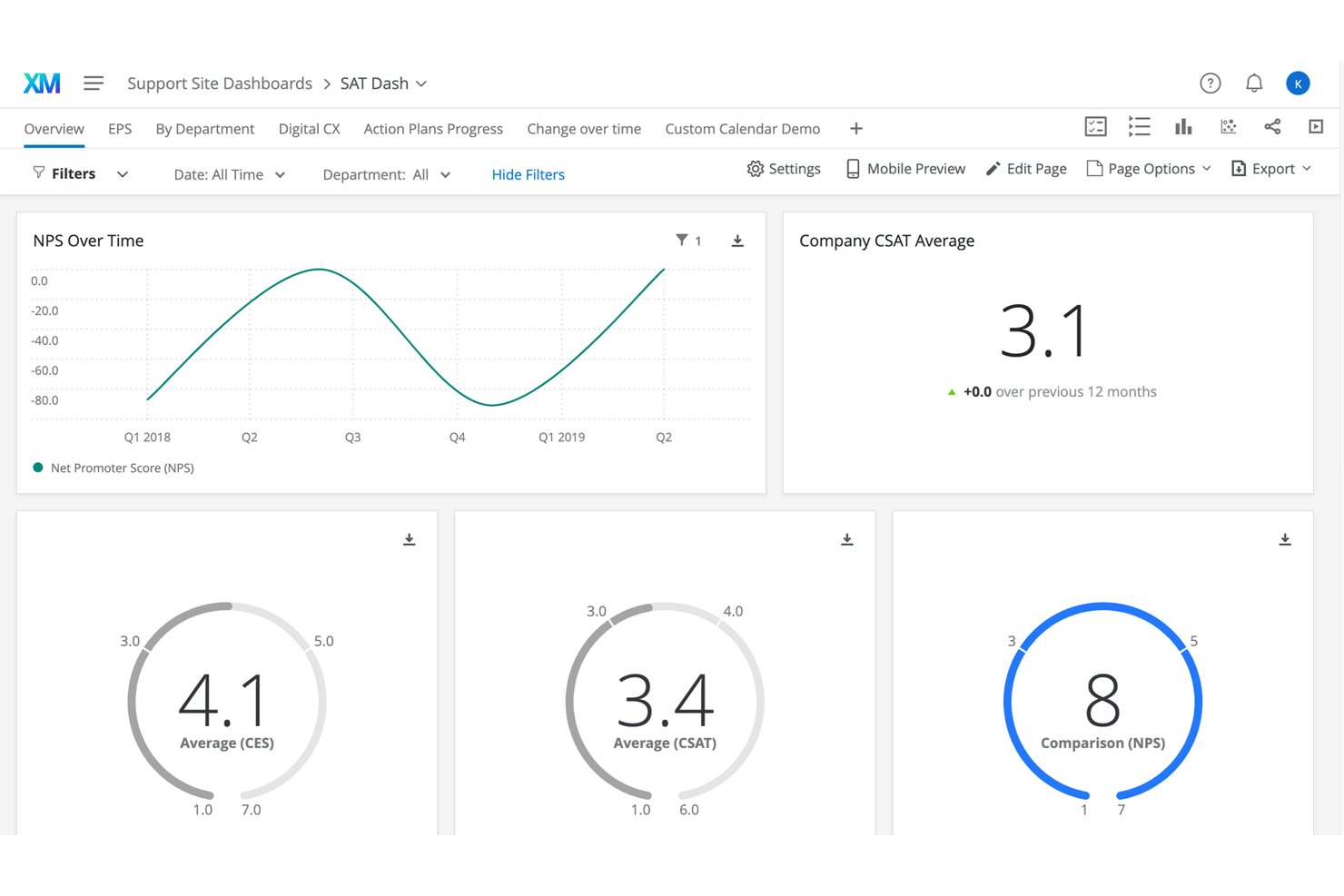
Qualtrics CustomerXM is an enterprise customer experience analytics suite that brings together VoC survey data, contact centre conversation analytics, digital experience analytics, and AI-powered text and sentiment analysis into unified customer profiles.
Who Is Qualtrics CustomerXM Best For?
Qualtrics CustomerXM is built for enterprise CX and VoC teams that need to collect feedback at scale and turn it into closed-loop action across complex, multi-location organizations.
Why I Picked Qualtrics CustomerXM
Qualtrics CustomerXM earns its spot on my shortlist because it's purpose-built for closing the loop on VoC at scale, not just collecting feedback. I love that XM Discover ingests 100% of contact-centre interactions (calls, chat, email) alongside survey responses, then surfaces intent, effort, and emotion through NLP, so nothing slips through. Closed-loop workflows automatically route tickets to Zendesk, Jira, or ServiceNow, which is how teams like ServiceNow's run 10,000+ automatic follow-up actions across 1,700+ experience owners.
Qualtrics CustomerXM Key Features
- Digital Experience Analytics: Session replay, heatmaps, and funnel analysis help you pinpoint where customers drop off or encounter friction in digital experiences.
- XM Directory segmentation: Dynamic contact segments update twice daily based on demographics, needs, and interests, and can be used directly within CX dashboards.
- Industry benchmarking: Built-in syndicated benchmarks let you compare your NPS, CSAT, and custom KPIs against industry peers, competitors, or best-in-class brands.
- Qualtrics Assist for CX: A generative AI assistant that answers plain-language questions and surfaces summaries across open-text survey responses and reviews inside your dashboards.
Qualtrics CustomerXM Integrations
Qualtrics CustomerXM offers native integrations with Salesforce, Microsoft Dynamics, HubSpot, Zendesk, ServiceNow, Jira, Slack, Microsoft Teams, Tableau, and Snowflake. It also provides an API, Professional Services connector builds, and Zapier.
Pros and Cons
Pros:
- Benchmarking contextualizes CX performance
- Unified survey and conversation insights
- Closed-loop VoC workflows at scale
Cons:
- Enterprise scope can overwhelm smaller teams
- Predictive modeling requires account-team involvement
Other Options
Here are a few more customer experience analytics tools that didn’t make my top 20 list but are still worth checking out:
- Contentsquare
For integrated behavioral analytics
- Medallia Experience Cloud
For enterprise-wide CX program scalability
- Sprout Social
For social media customer analytics
- Treasure Data
For predicting customer churn probabilities
- ChurnZero
For identifying cross-sell opportunities
- CleverTap
For spotting mobile app user trends
- Pendo
For generating retroactive analytics
- MonkeyLearn
For omnichannel text and speech analytics
- Adobe Customer Journey Analytics
For cross-channel journey analytics at scale


How I Evaluate Customer Experience Analytics Tools
I split my evaluation into two layers: baseline capabilities—like journey analytics and NPS dashboards—every tool must offer, and differentiators that separate the best options from the rest.
Core Functionality (Table Stakes For This List)
When I'm selecting tools for my list, I rank each one on a scale from 0 (does not offer the functionality) to 5 (excels in this area) for each core functionality listed below. Then, I calculate the tool's total score into a percentage. Each tool needs to achieve a minimum total score of 75% to be considered for inclusion.
- Multi-Channel Data Ingestion: I check whether a tool can pull in data from CRM, support tickets, surveys, chat, and social channels so you're working from a unified customer view.
- Customer Segmentation: The ability to build dynamic segments by behavior, lifecycle stage, or sentiment matters here—static demographic filters alone aren't enough.
- Behavioral & Journey Analytics: I evaluate how well a tool maps customer journeys across touchpoints, including funnel analysis, path visualization, and drop-off detection.
- Sentiment & Feedback Analysis: I look for NLP-driven analysis that extracts themes and sentiment from open-text responses, reviews, and support conversations beyond simple keyword tagging.
- CX Metrics & KPI Dashboards: Dashboards should let you track NPS, CSAT, CES, and churn in real time with enough flexibility to build role-specific views for analysts and leadership.
- Predictive Analytics: I evaluate whether the tool offers ML-based models for churn risk, CLV forecasting, or propensity scoring rather than just backward-looking trend reports.
Once I have a list of tools that meet the criteria, I consider what sets each platform apart.
Differentiating Factors (What Sets Vendors Apart)
Here's how I compare and contrast different vendors:
Standout Features
Closed-loop feedback workflows are a big differentiator. I look for tools that route a low CSAT score directly to the right team and track resolution. A generative AI assistant adds real value for VoC analysts who need to query data in plain language instead of building complex reports. Real-time alerting matters just as much. When NPS drops after a product release, your CX team should know within minutes, not days.
Beyond Features
Integration depth is one of the first things I evaluate. A customer analytics tool that connects natively with your CRM, support desk, and data warehouse means your team spends less time stitching data together. Compliance also carries weight—I check for GDPR and CCPA readiness, PII redaction, and SOC 2 certification, especially when customer feedback contains sensitive data. Implementation speed matters too. Prebuilt dashboards and onboarding support help VoC analysts start delivering insights in weeks rather than months.
What are Customer Experience Analytics Tools?
Customer experience analytics tools are software platforms that analyze customer interaction data to reveal patterns, preferences, and friction points. They help businesses understand behavior across channels to improve decision-making and optimize the customer journey.
How to Choose the Best Customer Experience Analytics Tools
Use this handy checklist to help pick the best customer experience analytics tools for you and your team.
☐ Does X software have the 2-3 features I value most?
☐ What niche or exceptional additional features does X software have?
☐ Is X software best for my team size, big or small?
☐ Does X software integrate with apps I use every day (email, Slack, etc.)?
☐ Is X software known for being easy to learn and use?
☐ Do X software's values align with my own?
☐ Is X software within my budget?
If you're looking for a more holistic customer experience software with features beyond analytics, I've narrowed it down to 10 best customer experience software in 2026.
Trends for Customer Experience Analytics Tools
Customer experience analytics tools are evolving with new trends shaping the industry.
AI and Machine Learning Integration
AI and machine learning are becoming integral, providing deeper insights and automating complex analyses. This trend is important for enhancing predictive capabilities.
Real-Time Data Processing
Real-time data processing is gaining traction, allowing businesses to make immediate decisions. This trend is crucial for staying competitive in fast-paced markets.
Multi-Channel Data Integration
Integrating data from multiple channels is becoming standard, offering a holistic view of customer behavior. This trend is vital for comprehensive customer insights.
Enhanced Data Privacy Measures
With increasing data privacy concerns, tools are incorporating advanced security features. This trend is essential for maintaining customer trust.
Customizable Dashboards
Customizable dashboards are becoming more prevalent, allowing users to tailor their analytics experience. This trend is important for meeting diverse business needs.
Features of Customer Experience Analytics Tools
When selecting customer experience analytics tools, keep an eye out for the following key features:
- Comprehensive data integration: Seamlessly connect data from multiple sources like websites, mobile apps, customer support, and social media to paint a complete picture of customer behavior. This feature helps you break down data silos and gives you a unified view of your customer journey.
- Real-time analytics: Access up-to-the-minute insights as customer interactions happen. Real-time analytics let you quickly spot trends or issues, so you can respond with agility and wow your customers when it matters most.
- Customizable dashboards: Personalize dashboards to display the metrics and visualizations that matter most to you and your team. This makes it easy to monitor KPIs and share insights with other stakeholders, without digging through piles of data.
- Segmentation and filtering: Group customers based on behaviors, demographics, or feedback. With segmentation, you can identify different customer needs and tailor your strategies for maximum impact.
- Journey mapping: Visualize each step of your customer’s journey to identify pain points, drop-offs, and opportunities for improvement. This feature helps you step into your customer’s shoes and create smoother, more delightful experiences.
- Feedback collection and analysis: Easily gather and analyze feedback from surveys, reviews, chats, and more. You’ll better understand sentiment and spot areas where your service shines—or needs a little love.
- Alerting and notifications: Set up automatic alerts for key events like drops in satisfaction scores or spikes in support tickets. This keeps you in the loop and ready to act before small problems become big headaches.
- Robust reporting: Generate detailed, easy-to-understand reports that break down findings for all levels of your organization. Share wins, learnings, and action plans without the spreadsheet drama.
Common Customer Experience Analytics Tools AI Features
Beyond the standard customer experience analytics tools features listed above, many of these solutions are incorporating AI with features like:
- Predictive customer insights: Use AI to forecast customer behaviors, such as who might churn or become your biggest fans. This helps you nurture relationships and prevent surprises down the road.
- Natural language processing (NLP): Automatically analyze open-ended feedback, support chats, or reviews for sentiment and recurring themes, making sense of vast amounts of unstructured data in a flash.
- Automated sentiment analysis: Let AI gauge customer mood and satisfaction levels from emails, calls, or comments. You’ll quickly spot patterns and address concerns, sometimes before your customers even reach out.
- Anomaly detection: AI identifies unexpected changes in customer behavior or feedback, so you can investigate sudden shifts and keep your service consistent.
- Smart recommendations: Get AI-driven suggestions for next steps, such as which improvements to prioritize or which customers to reach out to first. This ensures your actions align with what matters most to your customers.
Benefits Of Customer Experience Analytics Tools
Customer experience analytics tools offer several benefits for users and organizations. Here are the primary benefits:
- Improved Customer Understanding: Provides deep insights into customer behavior and preferences.
- Enhanced Decision-Making: Facilitates data-driven decisions with accurate and timely information.
- Increased Customer Retention: Identifies at-risk customers and helps in creating targeted retention strategies.
- Optimized Marketing Campaigns: Enables precise targeting and personalization of marketing efforts.
- Revenue Growth: Drives business growth by identifying new opportunities and optimizing existing ones.
These benefits highlight the value of customer experience analytics tools for businesses.
Costs And Pricing Of Customer Experience Analytics Tools
Customer experience analytics tools vary in cost based on features and plan types.
| Plan Type | Average Price | Common Features |
|---|---|---|
| Free Plan | $0 | Basic analytics, limited data storage, standard reports |
| Personal Plan | $20/month | Advanced analytics, more data storage, customizable reports |
| Business Plan | $100/month | Comprehensive analytics, multi-user access, real-time data |
| Enterprise Plan | $500/month | Full suite of features, dedicated support, advanced security |
This chart provides an estimate of average plans and costs for customer analytics tools.
People Also Ask
Here are some answers to FAQs on customer analytics tools:
How do I choose the right customer experience analytics tool for my team?
Start by mapping out your team’s main objectives, like improving NPS, increasing retention rates, or streamlining customer feedback. Evaluate tools based on features that specifically address your pain points—such as multi-channel feedback collection, advanced reporting, or AI-powered sentiment analysis. Consider the learning curve for your team; a tool with a user-friendly dashboard is vital for adoption. Check integration options with existing systems like CRM, helpdesk, or marketing platforms to avoid data silos. Assess vendor support, security, and compliance credentials, and prioritize those offering customized demos or trial periods so you can test workflows before finalizing a decision.
What metrics should I track with customer experience analytics tools?
You should track a mix of quantitative and qualitative metrics for a well-rounded view. Start with foundational scores like Net Promoter Score (NPS), Customer Satisfaction (CSAT), and Customer Effort Score (CES) to measure loyalty and immediate impressions. Dive into operational metrics like churn rate, first response time, and resolution rates to spot process bottlenecks. Use journey analytics to monitor drop-off points and conversion rates along different touchpoints. Some tools let you dig into sentiment by analyzing social media, chat, or email content, uncovering hidden frustrations or positive trends that surveys might miss. Tracking these metrics together will help you adjust your CX strategy in real time.
Can customer experience analytics tools integrate with my existing CRM or support platforms?
Yes, integration is a top consideration for CX leaders, and most leading tools offer pre-built connectors for popular CRMs (like Salesforce, monday CRM, or HubSpot) and help desk platforms (such as Zendesk or Freshdesk). This allows you to automatically sync customer interactions, tickets, and feedback data across platforms, eliminating manual data transfers and reducing errors. Some platforms also support API access for more custom integrations, letting you create tailored dashboards or workflows specific to your team’s needs. Before implementation, review the integration process, available documentation, and vendor support to ensure a smooth setup and minimal downtime.
How can customer experience analytics tools help reduce churn?
Customer experience analytics tools help identify at-risk customers by analyzing behavioral patterns, usage data, and feedback trends. For example, if the tool surfaces a drop in engagement or negative reviews after certain product changes, your team can act quickly to address issues. You can set up automated alerts for key indicators like increased complaint rates or declining NPS scores, triggering immediate follow-up. Some platforms offer predictive analytics to highlight users most likely to churn, allowing for preemptive personalized outreach. When you consistently turn insights into actionable steps—like improving self-service resources or training support staff—you can tackle churn at its root and boost customer retention.
Are there privacy or compliance concerns with customer experience analytics tools?
Yes, privacy and compliance should be top priorities anytime you handle customer data with analytics tools. Look for platforms that are certified for data protection regulations applicable to your business, such as GDPR in the EU or CCPA in California. Make sure the tool supports secure data storage, structured access controls, and transparency tools like consent management. You may want to discuss data hosting regions with the vendor, especially if your customers are located globally. Consider how the platform collects, processes, and shares data, and ensure your legal and IT teams are involved in the vetting process. Prioritize vendors offering clear documentation and support for compliance audits to minimize risks down the line.
How are companies using data and analytics to improve customer experience?
Companies use customer experience analytics tools to gather real-time feedback, map customer journeys, and spot trends that weren’t visible before. For example, retail brands analyze support tickets and web interactions to identify where customers get stuck, then update product pages or streamline support flows. SaaS companies use sentiment analysis to watch for rising frustrations and deploy targeted outreach before churn risk grows. Many CX leaders integrate analytics data with their CRM and marketing automation to personalize outreach and quickly address key complaints. By turning insights into specific, trackable actions, companies close experience gaps and drive higher customer loyalty.
Other Customer Experience Tools Reviews
Before you switch tabs, here are some awesome posts to get to know your customers better:
- Customer Intelligence Platforms
- Customer Experience Management Software
- VOC Software for Customer Analytics
- Qualitative Data Analysis Software
- Customer Feedback Software
- Customer Engagement Platforms
- Customer Relationship Management Software
- Customer Flow Management Software