


Reseña de Agentforce Service: ventajas, desventajas, funciones y precios


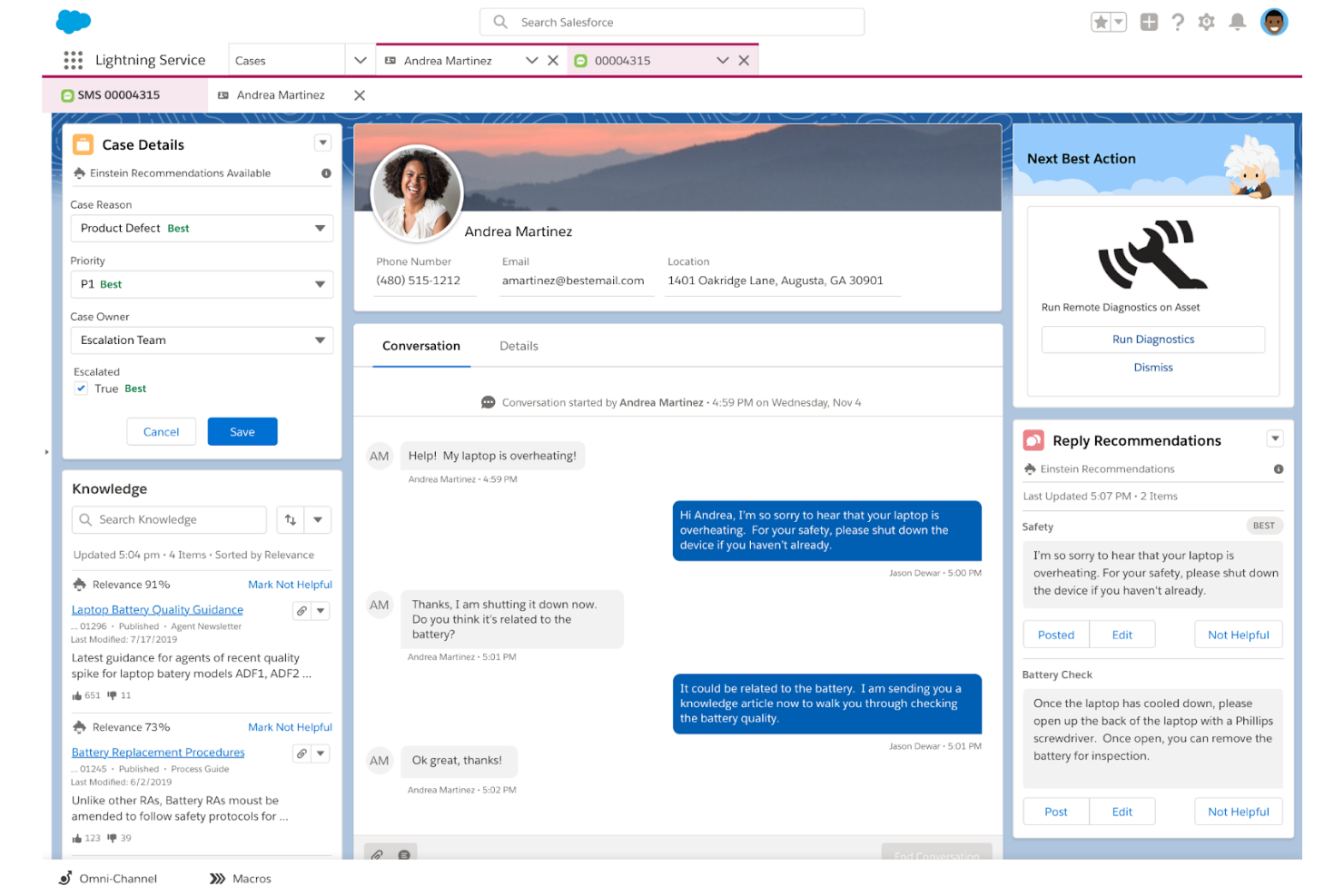
Agentforce Service (formerly Salesforce Service Cloud) is a customer service software built on the Salesforce platform for teams managing cases, AI-assisted interactions, and customer data in one place. I'd mainly consider it if your business already runs on Salesforce CRM and you want your support agents working with full customer context natively—without building out integrations. That's where it pulls ahead of Zendesk, which requires more configuration to get that same depth of CRM-connected case visibility.
Agentforce Service (formerly Service Cloud) Evaluation Summary
- From $75/user/month
- Free trial available
Por qué confiar en nuestras recomendaciones de software
Nuestro equipo lleva probando y evaluando software desde 2012. Como líderes de CX, sabemos lo difícil —y lo importante— que es elegir el software adecuado.
Para esta guía, evaluamos las herramientas mediante pruebas prácticas e investigación independiente, puntuando las herramientas según nuestros criterios de selección.
Nuestras reseñas reflejan nuestro criterio editorial humano, no un discurso de ventas.
Agentforce Service (formerly Service Cloud) Overview
If you’re judging Agentforce Service against other options, I think its automation, AI-powered case routing, and deep integration with sales and marketing set it apart. The interface can feel complex, and pricing is on the higher end, but you get unmatched customization and reporting.
I’d suggest it’s best for larger teams or organizations with complex support needs and existing Salesforce investments. For example, if you need to connect support with sales data or automate multi-channel workflows, this platform is hard to beat. Onboarding takes effort, but the long-term flexibility pays off.
pros
-
Deep Salesforce integration provides unified customer service data.
-
Advanced AI automation streamlines service workflows and resolutions.
-
Extensive customization supports complex enterprise service operations.
cons
-
Higher costs can limit accessibility for smaller teams.
-
Implementation often requires significant planning and technical expertise.
-
Interface complexity creates a steeper learning curve initially.
-

SupportYourApp
Visit WebsiteThis rating combines scores from multiple user review sites to reflect overall customer sentiment about the product.4.7 -

Freshdesk
Visit WebsiteThis rating combines scores from multiple user review sites to reflect overall customer sentiment about the product.4.4 -

Hiver
Visit WebsiteThis rating combines scores from multiple user review sites to reflect overall customer sentiment about the product.4.7


Cómo Probamos y Evaluamos Herramientas
Hemos pasado años construyendo, refinando y perfeccionando nuestro sistema de evaluación y puntuación de software. La rúbrica está diseñada para capturar los matices de la selección de software y lo que hace que una herramienta sea eficaz, centrándose en los aspectos críticos del proceso de toma de decisiones. A continuación, puedes ver exactamente cómo funcionan nuestras pruebas y puntuaciones en siete criterios. Esto nos permite ofrecer una evaluación imparcial del software basada en funcionalidad principal, características destacadas, facilidad de uso, incorporación, soporte al cliente, integraciones, opiniones de clientes y la relación calidad-precio.
Funcionalidad Principal (25% de la puntuación final)
El punto de partida de nuestra evaluación siempre es la funcionalidad principal de la herramienta. ¿Tiene las funciones básicas que un usuario esperaría? ¿Alguna de esas funciones principales está bloqueada en planes de precios más altos? Consideramos que una herramienta debe estar a la par de las capacidades básicas de sus competidores.
Características Destacadas (25% de la puntuación final)
A continuación, evaluamos aquellas características poco comunes y destacadas que superan la funcionalidad principal típica de herramientas de ese tipo. Una puntuación alta refleja funciones especializadas o únicas que hacen que el producto sea más rápido, eficiente o que aporte un valor adicional al usuario. También evaluamos lo fácil que es integrar la herramienta con otras que típicamente se utilizan en el ecosistema tecnológico para ampliar la funcionalidad y utilidad del software. Las herramientas que ofrecen abundantes integraciones nativas, conexiones de terceros y acceso a API para integraciones personalizadas obtienen la mejor puntuación.
Facilidad de Uso (10% de la puntuación final)
Consideramos lo rápido y sencillo que es ejecutar las tareas definidas en la funcionalidad principal usando la herramienta. El software que puntúa alto está bien diseñado, es intuitivo, ofrece aplicaciones móviles, proporciona plantillas y hace que tareas relativamente complejas parezcan sencillas.
Incorporación (10% de la puntuación final)
Sabemos lo importante que es la rápida adopción del equipo en una nueva plataforma, así que evaluamos lo fácil que es aprender y usar una herramienta con poca formación. Evaluamos cuán rápido un miembro del equipo puede configurarse y comenzar a usar la herramienta sin experiencia. Las soluciones mejor puntuadas requieren poco o ningún soporte.
Soporte al Cliente (10% de la puntuación final)
Revisamos lo rápido y sencillo que es salir de un atasco y encontrar ayuda por teléfono, chat en vivo o una base de conocimientos. Las herramientas y empresas que brindan soporte en tiempo real obtienen la mejor puntuación, mientras que los chatbots obtienen la peor.
Opiniones de Clientes (10% de la puntuación final)
Más allá de nuestras propias pruebas, consideramos el puntaje neto del promotor de los clientes actuales y anteriores. Revisamos la probabilidad de que elijan la herramienta nuevamente para la funcionalidad principal. Un software con alta puntuación refleja un alto puntaje neto del promotor por parte de clientes actuales o anteriores.
Relación Calidad-Precio (10% de la puntuación final)
Por último, considerando todos los demás criterios, analizamos el precio promedio de los planes de nivel inicial frente a las funciones principales y valoramos el resto de los criterios de evaluación. El software que ofrece más por menos obtiene una mayor puntuación.
Core Features
Case Management
Track, assign, and resolve customer issues from a unified dashboard. Automate case routing and escalation based on rules you set.
Omnichannel Support
Engage with customers across chat, email, phone, and social channels in one place. Switch between channels without losing context or conversation history.
Knowledge Base
Create and manage a searchable library of articles for agents and customers. Use AI to suggest relevant content during live interactions.
Service Analytics
Access real-time dashboards and customizable reports on team performance and customer trends. Spot bottlenecks and measure KPIs with built-in analytics tools.
AI-Powered Automation
Leverage Einstein AI to automate repetitive tasks and recommend next steps. Use predictive insights to prioritize urgent cases and improve response times.
Self-Service Portals
Let customers find answers and submit requests through branded web portals. Customize the experience with community forums and personalized content.
Ease of Use
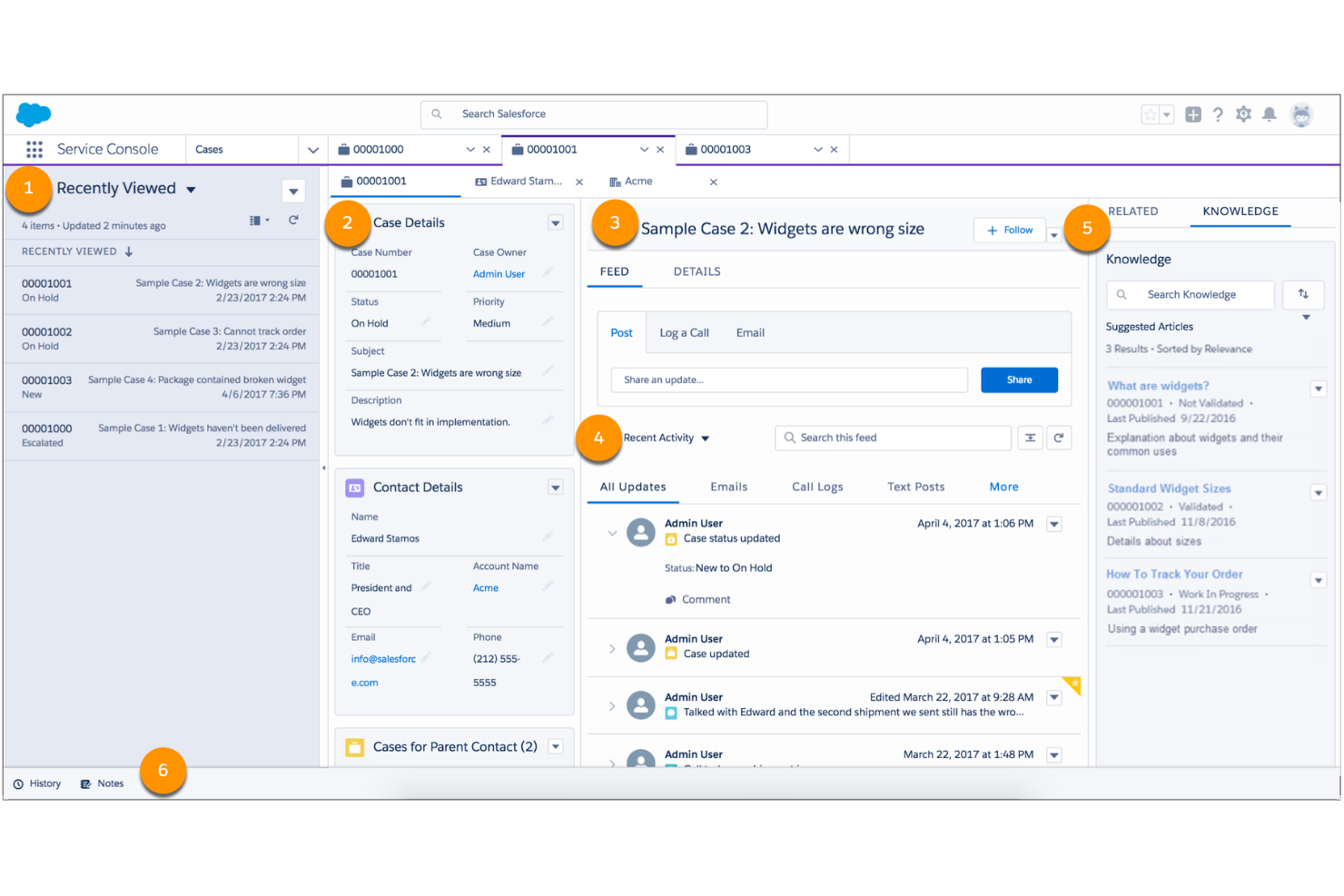
Agentforce Service offers a feature-rich experience, but the interface can feel overwhelming for new users or smaller teams. Many users mention that setup and customization require dedicated admin support, especially to unlock advanced automation and reporting. Once configured, navigation is logical and powerful, but expect a learning curve.
I think teams with complex needs or existing Salesforce experience will adapt fastest, while those seeking simplicity may find it less approachable.
Integrations
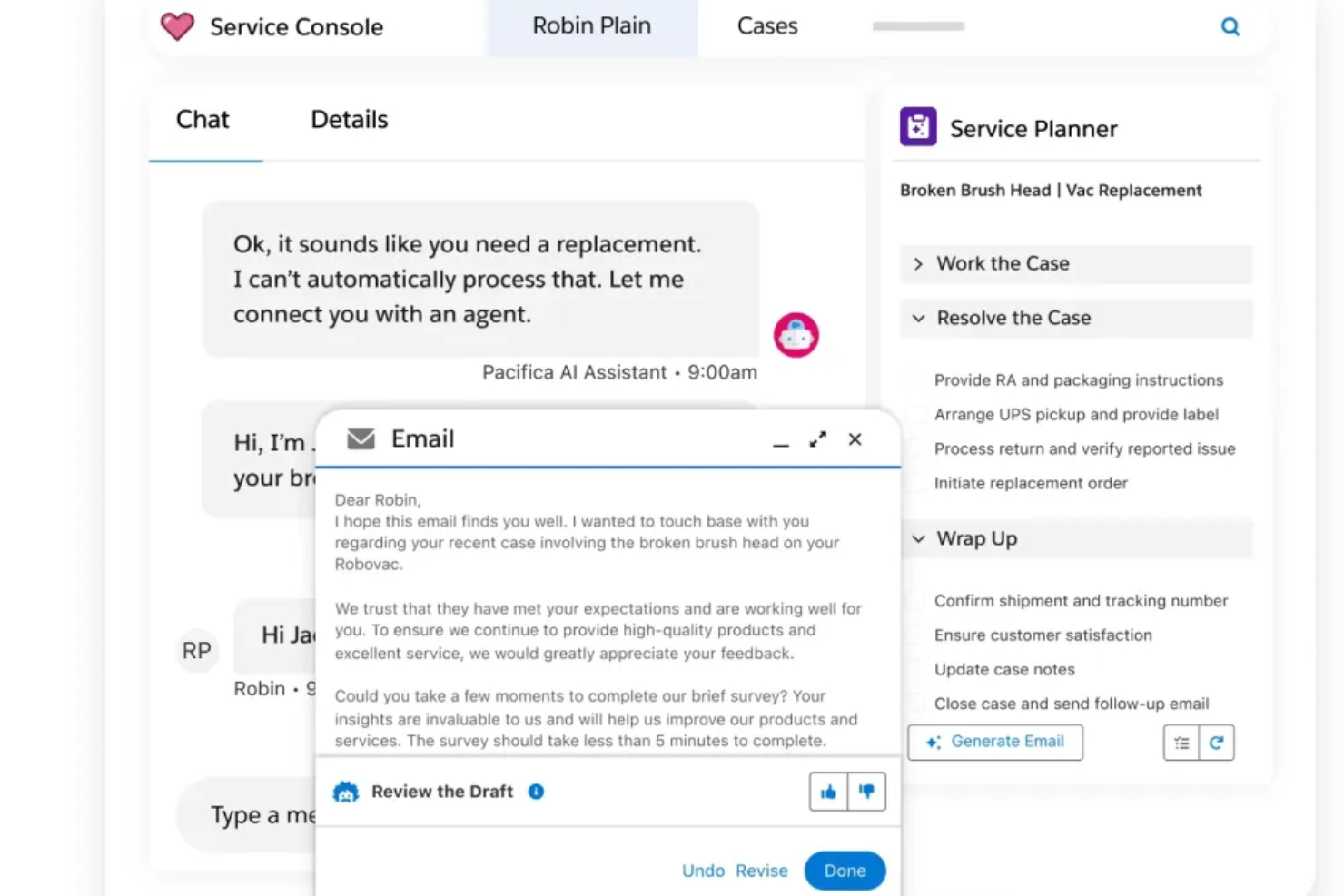
Agentforce Service integrates with Slack, Jira, Outlook, Gmail, Zendesk, HubSpot, SAP, Intercom, Freshdesk, and QuickBooks, among others.
They also offer a robust API and connect with third-party integration tools for custom workflows and data sync.
New Product Updates from Agentforce Service (formerly Service Cloud)
Agentforce Service Keeps Full Agentforce Voice Transcripts After Calls
Agentforce Service now shows both agent-customer and rep-customer transcripts after transferred voice calls. The post-call record keeps the same conversation context that was available during the live call. Highlights include:
- Full Conversation History: Keeps both agent and rep transcripts after the call ends.
- Post-Call Context: Gives reps a more complete record for follow-up.
- Transferred Calls: Preserves conversations when Agentforce Voice hands a call to a service rep.
- Service Console Access: Makes the combined transcript available in the voice call record.
- Consistent Transcripts: Aligns post-call transcripts with what reps see during the call.
Visit Salesforce’s official site for more details.
 for more details.
Agentforce Service Expands Service Assistant to Messaging and Voice
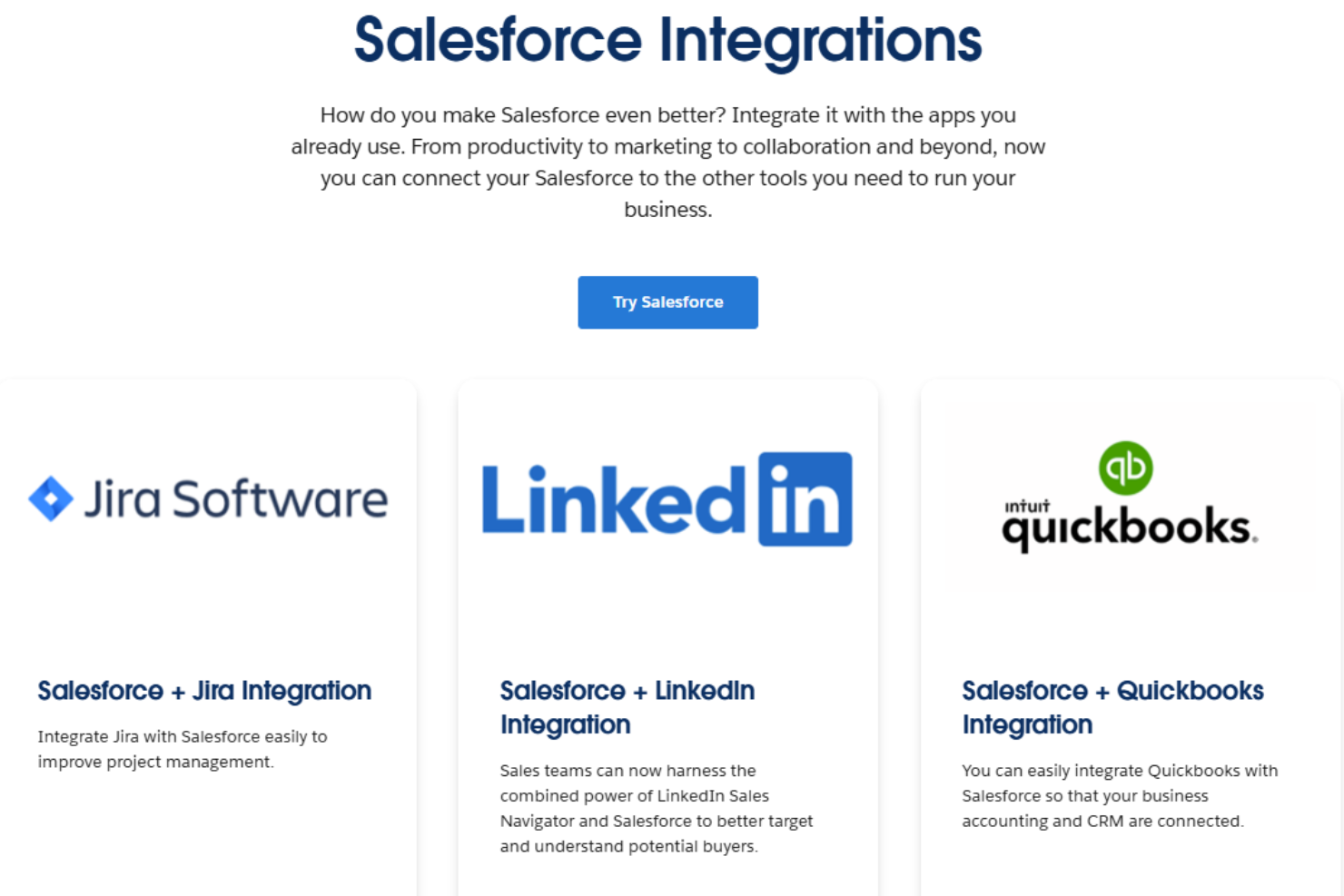
Agentforce Service now lets Service Assistant monitor messaging sessions and voice calls and update resolution steps in real time. Guidance can use record data, knowledge articles, subagent instructions, and agent actions to support issue resolution. Highlights include:
- Dynamic Service Plans: Updates resolution steps as cases and conversations change.
- Messaging Support: Extends real-time guidance to messaging sessions.
- Voice Support: Provides adaptive service plans during live customer calls.
- Knowledge Guidance: Grounds recommendations in relevant knowledge articles.
- Agent Actions: Surfaces actions reps can use directly during resolution.
- Service Assistant Chat: Lets reps request information and support on demand.
Visit Salesforce’s official site for more details.
Agentforce Service Assistant Adds Voice Call Support
Agentforce Service Assistant adds support for voice calls with live transcript monitoring, dynamic service plans, and agent actions. These capabilities help reps follow and complete resolution steps as conversations progress. Highlights include:
- Voice Call Support: Extends Service Assistant from cases and messaging to live voice interactions.
- Live Transcript Monitoring: Uses ongoing call conversations to update guidance in real time.
- Dynamic Service Plans: Adjusts resolution steps as new information comes up during the call.
- Agent Actions: Completes supported tasks directly from service plan steps.
- Knowledge Guidance: Uses knowledge content to support recommended resolution steps.
Visit Salesforce’s official site for more details.
Agentforce Service Assistant Brings Real-Time Guidance and Actions
Agentforce Service Assistant provides real-time resolution guidance and supports agent actions that can complete service plan steps automatically. These updates help reps follow adaptive plans and automate tasks during case and messaging support. Highlights include:
- Real-Time Guidance: Provides step-by-step resolution guidance that updates as case information changes.
- Dynamic Service Plans: Adjusts service plan steps using record details, knowledge, and new information.
- Agent Actions: Uses standard and custom actions to complete eligible service plan steps automatically.
- Knowledge Support: Surfaces relevant knowledge information while reps work through an issue.
- Service Assistant Chat: Lets reps request additional guidance, actions, and knowledge on demand.
Visit Salesforce’s official site for more details.

Agentforce Service Adds Guided Help Agent Setup
Agentforce Service adds the service-helpagent-coordinate skill to guide Help Agent setup across configuration, knowledge sources, Enhanced Chat, escalation routing, and testing. The preview workflow reduces tool switching by bringing these tasks into one guided process. Highlights include:
- Guided Help Agent Setup: Walks admins and developers through the main steps required to configure and deploy a Help Agent.
- Knowledge and Chat Configuration: Includes knowledge grounding and Enhanced Chat setup within the same workflow.
- Escalation and Preflight Checks: Covers escalation routing and validation steps before deployment.
Visit Agentforce Service's official site for more details.
Agentforce Service (formerly Service Cloud) Specs
- Analytics
- API
- Batch Permissions & Access
- Call Integration
- Chat
- Contact Management
- Contact Sharing
- CRM Integration
- Customer Management
- Customer Service
- Dashboard
- Data Export
- Data Import
- Data Visualization
- Email Integration
- Escalation Management
- External Integrations
- Instant Chat Integration
- Knowledge Base
- Lead Management
- Lead Scoring
- Multi-User
- Notifications
- Real-time Alerts
- Scheduling
- Self-service Portal
- Social Media Integration
- Support Forum
- Third-Party Plugins/Add-Ons
- Ticket Management
- Workflow Management